
n8n Case Study: Building a Multi-Model AI Evaluation Bot to Bypass Zapier Costs
1. The Real Problem: The SaaS Execution Tax
Running smart AI workflows at scale sounds great until you get the bill for your middleware.
If you run a digital business that handles high-volume text or content quality checks, you already know the issue. To get accurate answers, you need to test your prompts across different AI models at the same time—sending one prompt to OpenAI, Anthropic, and Google, parsing the data, and checking the metrics.
But trying to run this multi-step setup through platforms like Zapier or Make causes massive headaches:
- Apps like Zapier or Make charge you every single time they move a piece of information. A single check triggers 5 to 8 task executions. If you run 2,000 requests a day, your monthly bill easily passes $1,200 just for moving data around.
- Top AI models can take 30 to 60 seconds to process complex text strings. Standard hosted tools often timeout and drop the connection when a model takes too long.
- Sending your proprietary testing strings through closed, shared automation servers puts your data exposure at risk.
To grow your business without these constraints, you have to separate your workflow steps from per-task subscription billing. This case study shows how shifting to a platform you run yourself, like n8n, fixes the problem entirely. For a broader analysis of operational integration, check out our guide on the best AI automation workflows and tools in 2026.
2. The Blueprint: The Multi-Model AI Evaluation Bot
The Problem: Running AI tests one after the other is incredibly slow, and paying per task makes the setup way too expensive as you grow.
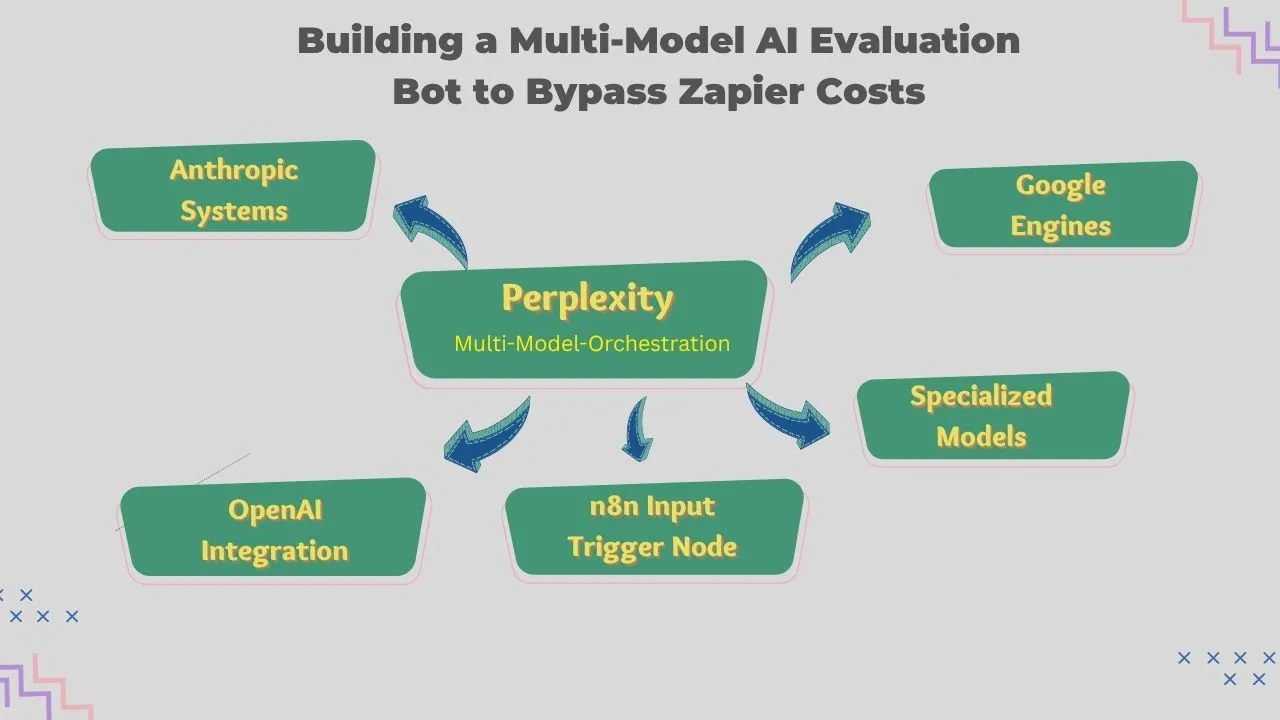
The Fix: Set up a unified system that takes an incoming message, splits it into parallel tracks, and queries three separate AI model endpoints all at the exact same time. It cleans up the text variations and drops everything into a single analytics dashboard. This removes processing delays while keeping your software budget completely flat.
3. The Step-by-Step Setup
Building a resilient testing matrix requires moving past basic point-to-point connections. High-volume systems rely on three clear layers inside n8n:
A. Squashing the "Messy Data" Problem
The Problem: API responses from different AI engines do not look the same. OpenAI nests text under choices[0].message.content, while Anthropic drops data into content[0].text. Stacking a mess of separate filter nodes to tidy up this text makes your workspace a total disaster.
The Fix: Drop an AI helper right into the middle of the track. n8n lets you write clean JavaScript or Python blocks straight into a single workflow node. It instantly reads data from anywhere, throws away the junk text, and organizes it perfectly right inside the pipeline.
B. Separate Workflows for Clean Scaling
The Problem: Putting your entire automation setup into one single screen makes it impossible to manage, tweak, or update without breaking the whole thing.
The Fix: Separate your initial data ingestion from the actual AI API calls. Using n8n's Execute Workflow node, the system hands tasks off to dedicated child workflows. If you need to swap out an old model for a new one, you can make that tweak inside an isolated child node without breaking your main live pipeline.
C. Error Hooks That Fix Themselves
The Problem: Network timeouts and AI rate limits (like HTTP 429 errors) happen all the time. A single dropped connection can make your entire batch of tasks crash and burn.
The Fix: Put built-in Error Trigger nodes into your pipeline. If an AI endpoint fails to answer within 15 seconds, the system automatically routes the data to a secondary fallback engine, logs the issue, and keeps running the rest of your steps without missing a beat.
4. The Actual Numbers: Zapier vs. Self-Hosted n8n
The financial difference between running high-volume data loops on a shared hosted platform versus your own unthrottled server is massive:
| Automation Platforms | Monthly Cost | Capabilities & Constraints |
|---|---|---|
| Hosted Automation (Zapier / Make) | $499 to $1,250+ | Strict execution caps, data privacy risks, restricted code use, and slow sequential steps. |
| Self-Hosted n8n (Docker Setup) | Flat $10 to $40 | Completely unlimited execution, private local database isolation, full Node.js/Python library support, and fast parallel processing. |
5. Implementation Roadmap: Launching Your Bot
Want to set up this exact workflow in your own business? Follow these steps:
- Deploy n8n (Step 1): Run your own instance using Docker Compose on a secure cloud server. Still, you can use an n8n Cloud account if you want to get moving fast without managing a server.
- Add Your AI Keys (Step 2): Securely save your access keys for OpenAI, Anthropic, and Google inside n8n's built-in credentials manager.
- Create the Webhook Trigger (Step 3): Set up an HTTP Webhook node to accept inbound prompt data from your website apps or content creation tools.
- Connect the Mapping Node (Step 4): Drop a custom JavaScript block right after your parallel branches to clean up and organize the raw text before sending it to your database logs.
Moving your data pipelines to an open, node-based automation engine removes recurring subscription overhead. And, it gives you full ownership over your automated business workflows.
Explore our detailed AI tools directories to find the right solution for your business operations:
👉 Best AI Chatbots in 2026 👉 Best AI Writing Tools in 2026 👉 Best AI Marketing Tools in 2026 👉 Best AI Automation Tools in 2026 👉 Best AI Image Creation Tools in 2026
Simple Q&A: How to Make it Work
What is the biggest reason to switch to a platform like n8n?
It completely stops per-task fees. Running n8n on your own server means you can run huge data loops and big AI tasks for one flat price, so you never get punished with a huge bill for growing.
How does the AI keep your database information clean?
Instead of using broken app plugins, you use one custom code step to catch the data. The AI reads the messy text or mismatched formats from each provider, strips out the conversational filler, and rearranges the pieces into a clean, uniform format right before saving it.