
Last updated: June 2026
What is Canva AI Creator Software? (Quick Answer)
Canva AI is a one-stop creative hub that helps you chat with top-notch visual and text models. It's super easy—you use simple words, hook up with native assets, and follow layout tools to crank out amazing presentations, social media stuff, brand kits, and videos.
No complicated manual setups. No dense technical barriers.
Just define the outcome.
And it works through the stack.
When you're the owner of a business, you're not concerned with how the underlying code of AI works. What you need is to reclaim time, close the gaps for profit loss, and scale without having to match every increase in income with a new employee.
An AI workflow can be viewed as your silent 24/7 employee who will connect your applications, make decisions autonomously, and handle your most monotonous tasks from end-to-end.
Unlike legacy graphic design software, Canva AI doesn't force you to start with a blank white box.
It relies on Canva's proprietary design model network to:
- Interpret abstract style inputs and content layouts.
- Act instantly using simple point-and-click editing sliders.
- Format complex brand variables across text, imagery, and video timelines.
In simple terms?
It thinks in complete matching brand clusters. Not isolated graphic layers.
What Canva AI Systems Provide
This is where its modern 2026 execution suite stands out.
- Conversational Design: Build entire graphic layouts from zero just by chatting with an AI assistant inside your workspace.
- Magic Studio Suite: Deploy 20+ built-in AI tools to rewrite text, erase objects, generate pictures, or stretch image backgrounds instantly.
- ChatGPT Workspace Sync: Build, translate, and update fully editable graphics natively inside your ChatGPT chat stream, while also letting users seamlessly call upon ChatGPT logic straight from within the core Canva design engine interface.
- 3D Media Generation: Create customized 3D elements inside your media tab to drop straight onto your canvas.
- Multi-Format Form Shifting: Change a single Instagram graphic into a TikTok video layout or a YouTube thumbnail with one click.
Not perfect.
But exceptionally advanced.
Quick Summary (2026)
- Remains the gold standard for flexibility, quickness, and user-friendliness.
- Delivers unmatched practical value if your workflow requires high-volume graphic assets, presentations, and rapid brand alignment.
- Preserves incredible value for individual creators despite recent major global pricing updates on multi-seat accounts.
But…
Its collaborative team subscription models feel noticeably expensive if you manage a small agency.
Brand New Upgrades to Canva AI (2026 Tracker)
Here is the massive pivot most digital tracking networks haven't cataloged yet.
Canva AI has moved beyond basic graphic templates into a unified creative operating network.
Recent core architectural rollouts include:
1. The Conversational Canva AI 2.0 Engine
Canva retired its legacy static setups to run entirely on a conversational design network. The engine scans your historical asset clusters to build a personalized style memory library, making future generated layouts match your unique business style automatically.
2. Magic Layers & Object Control
The standalone editing workspace now allows you to split flat, unlayered graphic files into editable layout segments. You can isolate text elements, shift background objects, and drag grouped graphics around instantly without damaging the underlying image resolution.
3. Native ChatGPT App Integration
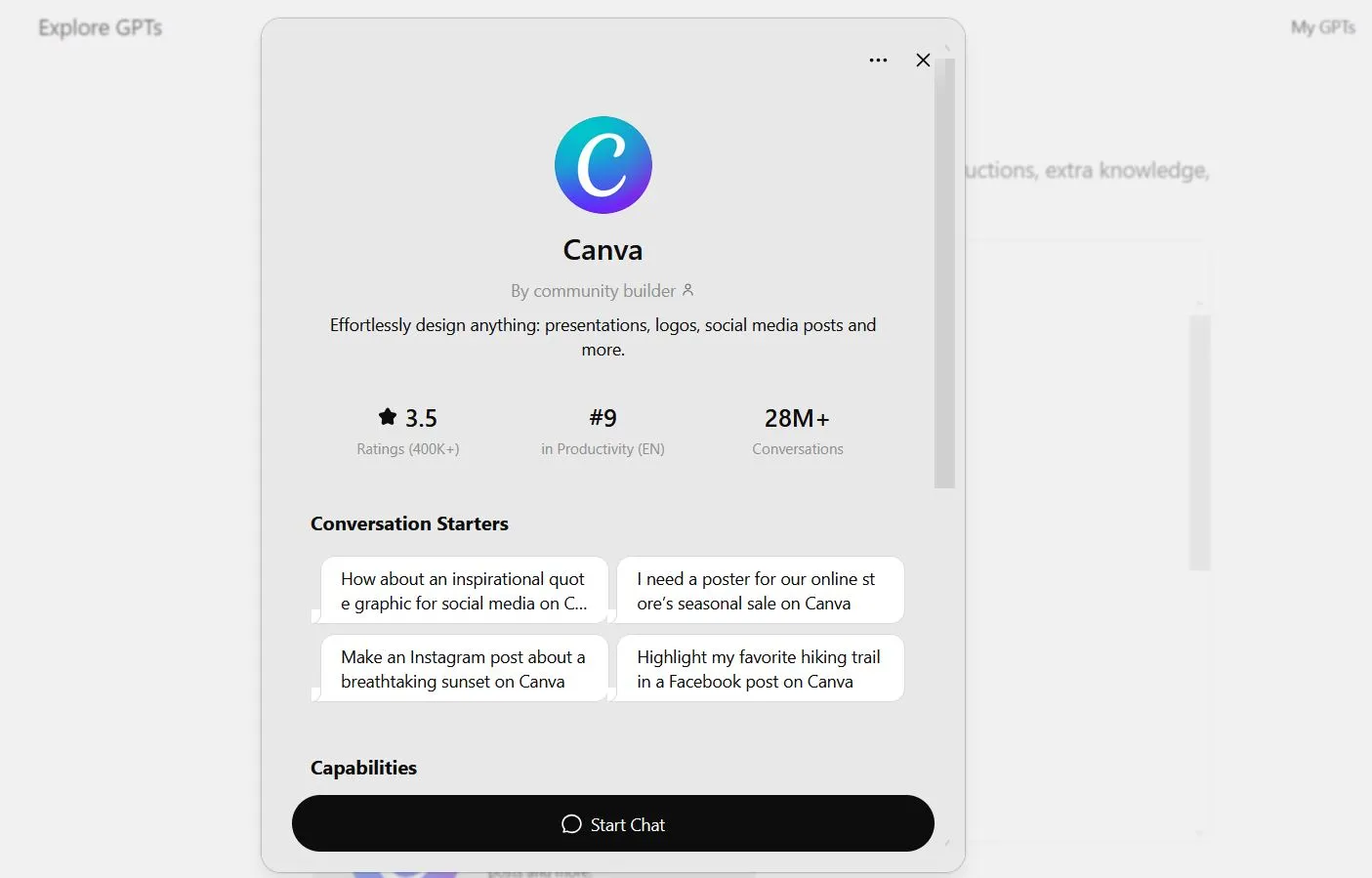
A major operational upgrade launched this spring. Using OpenAI's Apps SDK, Canva brings system-level graphic creation directly into your ChatGPT interface. You can type out your design goals in plain text, generate editable files, and handle language translations across your assets without switching tabs.
👉 For a deeper breakdown of how it compares, see:
When to Open Canva
- When building scannable presentations or high-volume social media asset clusters fast.
- When you require a flexible tool with vast template options and absolute zero learning curves.
- When running multi-channel content pipelines that require fast asset scaling and automated resizing.
Hurdles You Should Watch For
- Cannot match the pixel-perfect precision or deep vector masking found in Adobe Creative Suite.
- Global team pricing structures have scaled up sharply for small business owners.
- Demands active internet connectivity to use any of the core generative design tools.
The critical shift?
It is no longer bound to rigid template boxes.
It has evolved into an active creative assistant capable of turning text concepts into layered, customizable documents, marketing reels, and pitch slides instantly.
It offers unparalleled power if your work requires heavy daily output.
But as always, the quality of its automated output relies entirely on how well you customize the core brand identity assets you provide.
Design AI Review Methodology
- Last tested: June 2026
- Evaluation method: Hands-on testing, template scaling, and ChatGPT integration asset verification
- Rating criteria: Generation latency, layout accuracy, workflow integration architecture, and plan tier value
Let's look at the facts directly.
You encounter the mention of Canva everywhere. It fills tracking logs, dominates design channels, and anchors countless technical workflow case studies.
So what is it underneath the noise? Is it absolute engineering magic, or just highly polished structural template scaling?
Let's break down the technical reality.
Defining the Platform: Core Mechanics Behind the Screen
Canva develops its software as an all-in-one graphic ecosystem that pairs deep layout rule knowledge with natural language tools. The software evaluates text strings, compares them to millions of successful design frameworks worldwide, and builds layered files you can edit right in your browser.
What that translates to: It reads your text intent, matches your historical brand files, and structurally outputs a matching graphic array with extreme speed.
Unlike early rule-bound design steps, this ecosystem adapts natively. It can:
- Turn a paragraph into a complete multi-slide business presentation.
- Clean background noise and erase unwanted items from photos instantly.
- Write copy hooks, change voice tones, and lengthen asset dimensions.
- Parse text strings to generate custom 3D element shapes.
- Translate text layers seamlessly across whole asset sets.
The Historic Shift: Moving from Boxes to Systems
System Maturation. It is no longer a tool you just visit to drop text on top of pre-made cards. It is an execution platform integrated into your local and cloud infrastructure stacks.
Architectural Engine: Powering the Magic Studio Canvas
The Canva AI platform runs on a private design model network trained explicitly on visual layout rules, font harmony, and color compositions. These setups evaluate the relationships between text strings and spatial layout layers, maintaining consistent brand logic over complex slide files.
- Grounded continuously using extensive professional design asset libraries.
- Incorporates precise brand safety and copyright check guardrails.
- Supports unified multi-app creation across text, graphics, and video elements.
Important Operational Note: It maps structural predictive layouts based on instructions. Always pass your production print files through manual resolution verification checks.
Primary Elements: Navigating the Built-in Options
Forget the fancy tech talk. Finding the right tools is just about making things run smoothly. Here is how these setups fix big everyday problems and protect your money.
Simple Fixes for Big Business Problems
1. Stopping the "Content Drag" (Saving Money)
- The Problem: Hiring a graphic designer or an agency every time you need an Instagram post, a YouTube thumbnail, or a presentation slide costs a fortune. Your business expenses pile up fast just trying to keep your digital channels active.
- The Fix: Use Canva AI tools like Magic Design. You type a simple sentence explaining your goal, and the AI automatically generates a complete matching set of professional layouts. You stop spending thousands on basic creative tweaks and launch your marketing in seconds.
2. Squashing the "Resizing Chores" (Saving Time)
- The Problem: Your team wastes hours manually copy-pasting text and adjusting image frames just to turn a single vertical phone graphic into a horizontal desktop banner. Moving the same design across different social media platforms feels like a full-time chore.
- The Fix: Drop your layout into the Magic Switch tool. The AI instantly reads your visual layers, resizes the canvas for multiple platforms like TikTok, YouTube, and Facebook at the exact same time, and formats your brand assets perfectly. Chores that took hours shrink into one single click.
3. Creating Visual Assets Instantly (Getting More Sales)
- The Problem: Say you're pumped about a marketing campaign or ad but lack the pics or background bits. Spending cash on stock images or grappling with complex Photoshop skills just pushes your project timeline way past the deadline window.
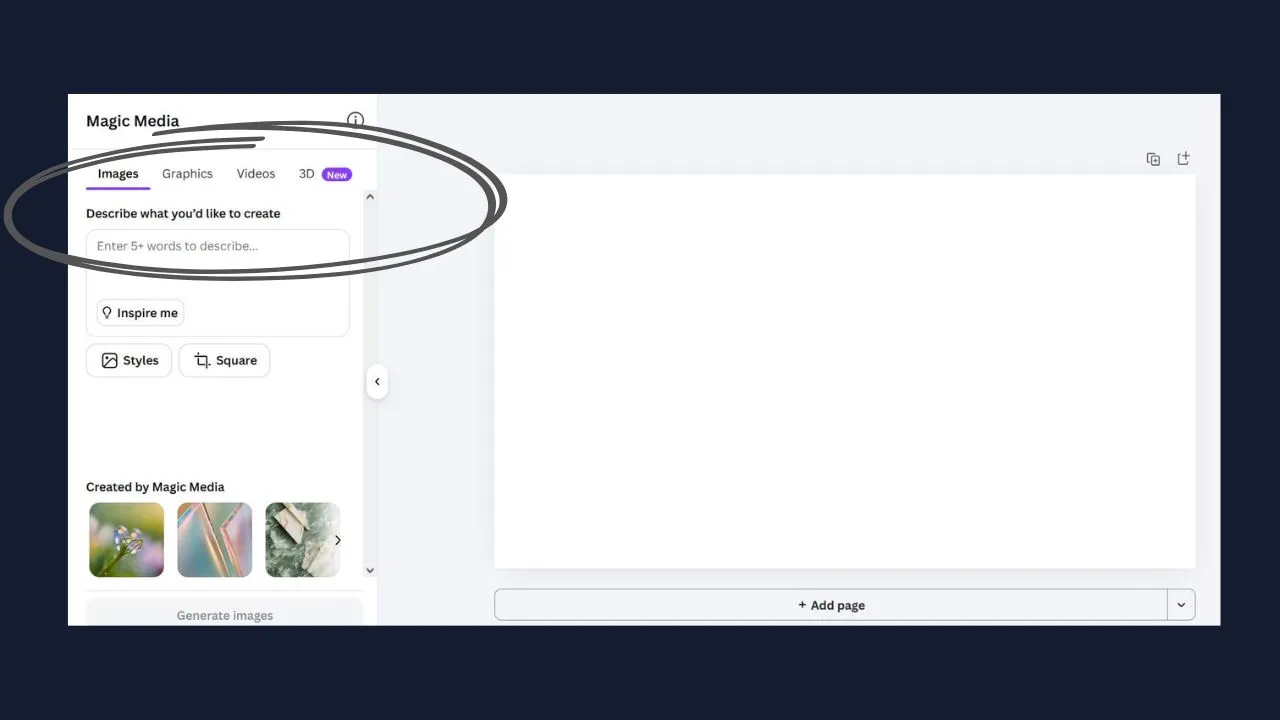
- The Fix: Use the Text-to-Image and Magic Expand tools inside Magic Studio. You describe the exact graphic you need in plain words, and the AI creates a high-quality picture from scratch. If a photo is too small for your layout, the AI smart-stretches the background to fill the empty space perfectly without ruining your design.
4. Fast Document Transformation (Speeding Up Operations)
- The Problem: Turning a long, boring text brief or product roadmap into an exciting presentation deck means your team spends days manually copy-pasting bullet points across individual slide templates.
- The Fix: Use Canva's AI-powered presentation tools to turn your text brief or product roadmap into a structured presentation. Instead of manually copying content into individual slides, you can start with your existing material and let Canva generate a presentation layout that you can then edit, refine, and brand for your audience.
What This Means for Your Business
Using these tools means making sure your creative work gets done right every single time. Instead of hoping your team remembers to follow brand rules or manually stretch images, the Canva AI pipeline handles it perfectly. You aren't just fixing one small chore—you are getting rid of the slow creative bottlenecks that hold your whole company back.
Simple Q&A: How to Make it Work
What is the biggest reason to use Canva AI over traditional design software?
It completely removes the learning curve. Instead of spending months mastering complex editing panels, you use natural language to change text, erase unwanted objects from images, or build brand layouts instantly in your browser.
How does Canva AI keep your marketing consistent?
You save your custom logos, fonts, and colors into your centralized Brand Kit. The AI reads this specific visual profile and automatically applies your exact color palettes and font styles to any generated layout, keeping your business image flawless without extra work.
Real-world Testing: Output Quality and Generation Speed
Prompt used:
“Generate a 5-slide business pitch deck layout for an e-commerce brand specializing in sustainable workspace infrastructure.”
Strengths
- Jaw-dropping visual layout diversity.
- Instant, scannable text hierarchy matching.
- Complete asset consistency across all slides.
Weaknesses
- Generative video frames can sometimes feel low-resolution for premium displays.
- Demands explicit structural customization to completely eliminate a generic look.
Overall Score: 8.8 / 10
Subscription Pricing: Global Tiers and Cost Incurred
Free Plan ($0/month)
- Access to all standard templates and essential editing options.
- Includes basic core AI tools and 5GB of cloud storage space.
Canva Pro ($12.99/month or $119.99/year in USA)
- The industry baseline for solo founders. Unlocks full, unthrottled access to Magic Studio AI toolsets.
- Fully unlocks the premium asset archive of 100M+ elements, 1TB of cloud storage, native Brand Kits, and Magic Switch resizing tools.
- Regional Pricing Value: India users receive a deep purchasing power adjustment, dropping the tier to ₹499/month.
Canva Teams ($14.99/user/month in USA)
- Built for growing design groups and multi-seat marketing teams.
- Adds structured workspace control panels, brand enforcement locks, and unified review pipelines.
- Important Budget Note: Multi-user billing has scaled up considerably this past year, shifting legacy group plan brackets toward a higher per-seat rate.
Canva Enterprise (Custom Configuration)
- Designed explicitly for global organizations and enterprise structures.
- Delivers single sign-on (SAML SSO) integrations, absolute security isolation, unlimited brand kits, and priority support lines.
Core Trade-offs: Balanced Platform Analysis
The choice to use Canva AI as a tool is when you need to prioritize efficiency and cohesion over graphic precision. It is a middleman between the rawness of prompts and publish-ready visual assets. However, to wield this tool efficiently, one must be aware of its limitations before relying on it as a core productivity measure.
Core Competencies
Multi-Asset Creation Velocity: Production of whole sets (e.g. slides, social media posts, video timelines) as opposed to individual image generation.
Zero Learning Curve: Text prompts are converted into editable layers with no need for graphic design software proficiency.
Brand Consistency Engine: Application of brand kits in graphic assets are automated and precise across all visuals.
Unified UI Ecosystem: Use of ChatGPT and Magic Studio tools allow for designing, resizing and translating campaigns in one platform.
Key Limitations
Limited Precision in Image Prompts: No advanced camera, lighting, or photo-realistic mode found in dedicated graphic design software.
No Advanced Photo Editing: Tools do not support professional level vector editing and color calibration.
Collaboration Pricing Inflation: Pricing for multiple team members has become prohibitively expensive for agencies.
Default Brand Similarity: Without customization and strong brand assets, templates begin to look similar despite being in different industries.
Considerations
Canva AI is an efficiency gain that sacrifices creative precision. Users are advised to consider if the loss of fidelity in image prompts is worth the gain in productivity. As a collaborative tool, it allows teams to produce branded assets faster with minimal skill investment. It does not replace photo editing or graphic design software but rather acts as a publishing pipeline for marketing visuals. For most businesses, the value proposition is undeniable, especially for organizations that struggle to meet the demand for marketing material.
System Alternatives: Benchmarking Against Design Infrastructure
Balancing your creative software choices depends entirely on your production output requirements:
👉 ChatGPT Review — Creative versatility vs Functional template automation
Explore our detailed AI tools directories to find the right solution for your business operations:
👉 Best AI Chatbots in 2026 👉 Best AI Writing Tools in 2026 👉 Best AI Marketing Tools in 2026 👉 Best AI Automation Tools in 2026 👉 Best AI Image Creation Tools in 2026
Community Questions
1. Is Canva free to use?
Yes, Canva offers a generous free plan with basic templates, core AI tools, and essential features. Pro starts at $12.99/month (USA) or ₹499/month (India) for premium assets and advanced AI.
2. What is Magic Studio in Canva?
Magic Studio is Canva's main AI hub containing 20+ AI features including Magic Write, Magic Design, Text-to-Image, Magic Expand, and Magic Eraser — all integrated directly into the editor.
3. Can Canva replace Photoshop?
For social media stuff and simple marketing, Canva is great. But if you need to do serious photo retouching or advanced print production, Photoshop still beats it.
4. How does Canva AI 2.0 work?
Canva AI 2.0 works by using your past designs to create a profile, then makes new stuff that matches what you like.
5. Can I use Canva with ChatGPT?
Yes! you can now hook up Canva with ChatGPT to make, edit, and even translate designs all within conversations using OpenAI's Apps SDK.
Closing Review: Is Canva AI Worth It in 2026?
Canva AI is not a simplistic text box gimmick. It is infrastructure leverage engineered into digital software frameworks. When configured correctly, it acts as an indispensable multiplier for your technical operations.
Final Rating: 8.9 / 10