

Last updated: July 2026
9.7 | 10
The Speed-to-Lead Superpower
In the first part of our series, we built a lean website data capture layer that securely collects form entries without bloated plugins. But collecting the data cleanly is only half the battle. If your follow-up system relies on a basic email autoresponder that sends generic template text, you are losing potential conversions.
Busy business owners and decision-makers do not want an email that says, "We received your message." They want an answer to their specific problem right now.
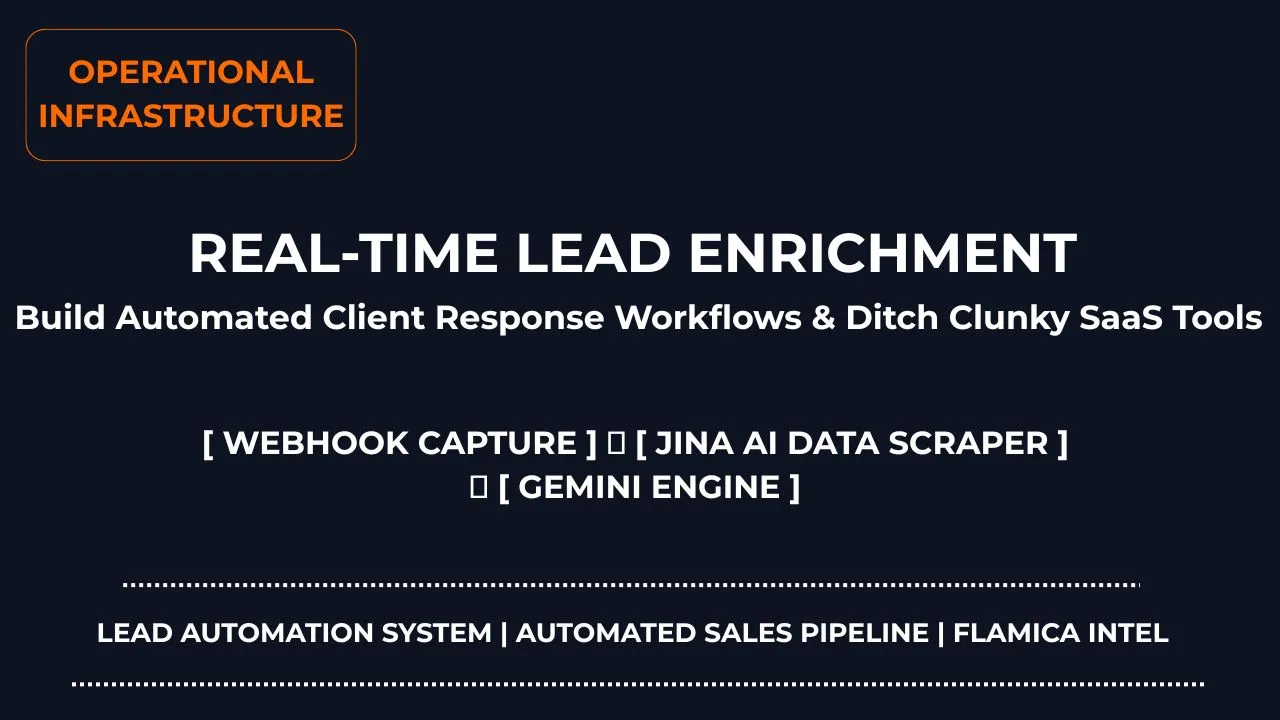
The secret to out-competing large teams isn't working longer hours; it's building real-time lead enrichment systems. These systems perform background market research, diagnose technical friction points, and deliver a tailormade corporate consulting proposal straight to a prospect's inbox in under 45 seconds.
By taking your system off your local machine and hosting it in the cloud, you can secure hot opportunities 24/7 while you sleep—all while dropping your software overhead down to absolute pennies.
Operational Extract
For system architects, web operators, and conversion managers designing automated database pipelines, here is the baseline engine optimization layer:
- The Ingest Blueprint: Intercept front-end form entries using secure, zero-downtime cloud webhooks to prevent server traffic crashes.
- The Intelligence Harness: Route raw data arrays through automated web scraping tools and large language model endpoints to generate instantaneous diagnostic pitches.
Section 1: The Blueprint of a Real-Time Lead Engine
How can I automate B2B lead enrichment using no-code cloud platforms?
Most sales teams waste hours typing company names into Google, reading old about pages, and trying to figure out what a new prospect actually sells before writing a pitch. This delayed manual process completely ruins your speed-to-lead advantage.
An intelligent lead automation system cuts this manual friction entirely. It breaks the data enrichment loop into five automated cloud steps.
1. The Gateway Capture (Make.com Webhook)
The moment a prospect clicks "Submit Request" on your static website page, a high-availability cloud routing gateway built on Make instantly wakes up. The cloud node catches the incoming JSON or form-urlencoded data payload (Name, Email, Topic, and Message) in real time. Because this engine scales automatically in the cloud, your site experiences zero server downtime even during massive traffic spikes.
Unlike traditional setups that process forms synchronously and slow down the browser, the webhook issues an immediate HTTP 200 OK response back to your client-side form script. The user sees a confirmation instantly, while the backend database operations continue silently in the background.
2. The Dynamic Domain Extractor
Instead of making your contact form longer by asking for a website URL, the workflow uses a native text manipulation tool. The system automatically splits the user's email string right after the @ symbol (for example, turning [email protected] into flamica.com). This instantly isolates the prospect's corporate domain name without adding form fields that lower conversion rates.
To prevent the system from trying to crawl public webmail providers, we route the extracted string through a routing filter. This filter matches the domain against a compiled list of public email systems (like gmail.com, outlook.com, yahoo.com, and icloud.com). If a public email domain is found, the workflow bypasses the scraper step and routes directly to the AI engine using the user's input text alone. If a unique corporate domain is detected, the workflow proceeds to the enrichment step.
3. The Hands-Free Digital Research Layer
Next, the workflow passes that corporate domain straight to a cloud-based web scraper via an HTTP module. By utilizing the ultra-lean text reader engine from Jina AI, the scenario reads their public website, strips out heavy navigation scripts or tracking codes, and returns a clean markdown overview of their business model back into the loop.
Calling the Jina AI Reader API is simple. We target the GET endpoint: https://r.jina.ai/https://{extracted-domain}
By passing a custom header like X-With-Links-Summary: true, we receive a concise markdown page structure. This format allows the downstream AI to parse actual site context without wasting thousands of processing tokens on visual CSS, structural layouts, or heavy analytics scripts.
4. The Cloud-Hosted AI Think-Tank
The system now pipes all gathered assets simultaneously into a native Gemini or OpenAI model module:
- The user's dropdown choice (Context)
- The user's raw message (The Problem)
- The freshly scraped web data (The Corporate Background)
The large language model maps out a highly custom technical overview, directly identifying their exact operational problem and providing an actionable resolution plan. We program the prompt structure to avoid generic introductions. Instead, the model starts directly with a diagnostic breakdown of the company's existing technology stack and marketing channels. It then inserts the custom proposal values directly into pre-designed email layouts.
5. Domain-Safe Automated Dispatch
Finally, the parsed text layout moves to a native Resend cloud API module. The system fires a clean, highly customized diagnostic value email straight back to the prospect's inbox in under 45 seconds while they are still highly engaged with your brand.
Because we use Resend, we can structure the transactional email using highly responsive inline-styled HTML blocks. To protect your domain's sender reputation, we configure custom SPF, DKIM, and DMARC settings specifically for the outgoing automation subdomain. This step prevents the instant automated responses from triggering spam filters or delivery failures.
Section 2: Building the Workspace Case Study
Technical Case Study: Running a 45-Second Solution Loop
To prove how this works, we built a live automated pipeline designed to find customer pain points, enrich company profiles, and respond with custom pitches automatically. Here is the exact technical process of how we established our data pipeline sandbox.
The Prototyping Phase
We initially tested our system setups inside a local n8n workflow sandbox running on our hard drive at http://localhost:5678. This allowed us to map inbound webhooks, write regular expression filters, and ensure data strings formatted perfectly without consuming premium cloud request tokens.
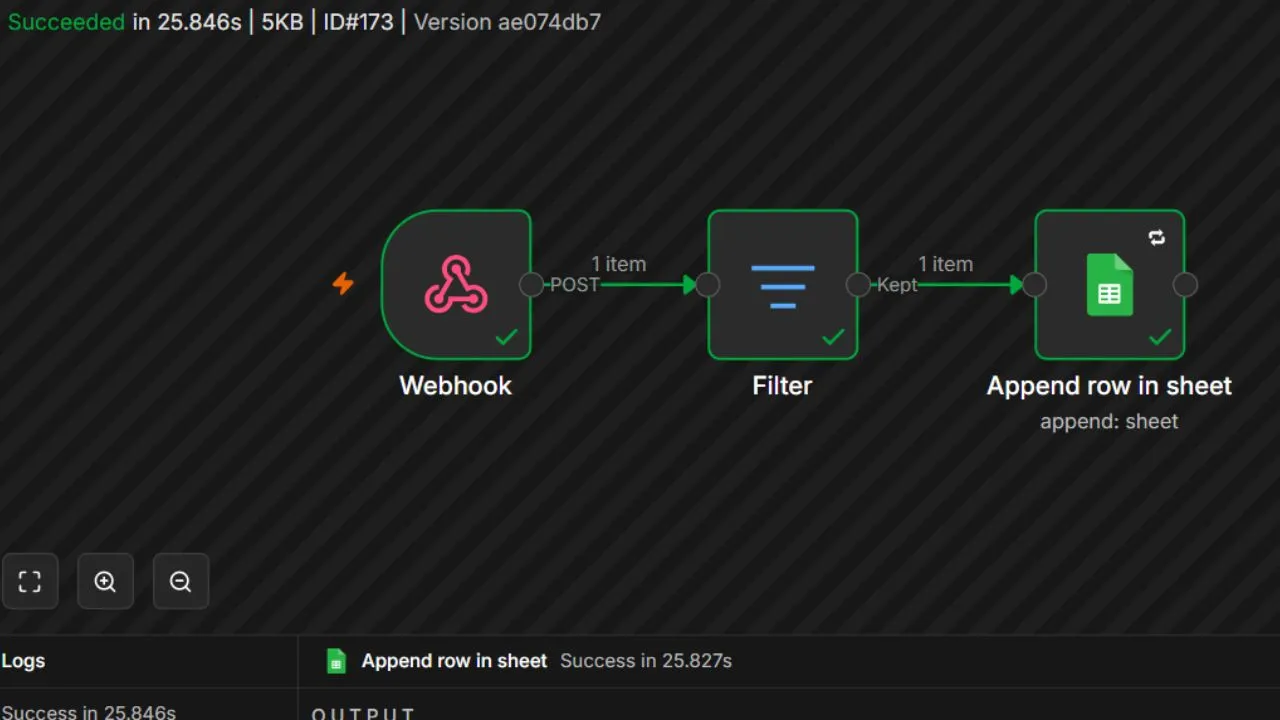
By using the n8n execution history view, we could step through the JSON payloads of incoming test leads. We fine-tuned the regular expression patterns that isolate corporate domain names and tested how the AI parsed markdown pages retrieved from Jina AI. Testing these components locally prevented token waste during the engineering phase.
The Production Deployment
Once the validation checks passed cleanly, we deployed the architecture to our production environment. We connected our frontend fields directly to a cloud scenario using Make to run our automated operations 24/7. This system completely replaces the need for a legacy, static email autoresponder.
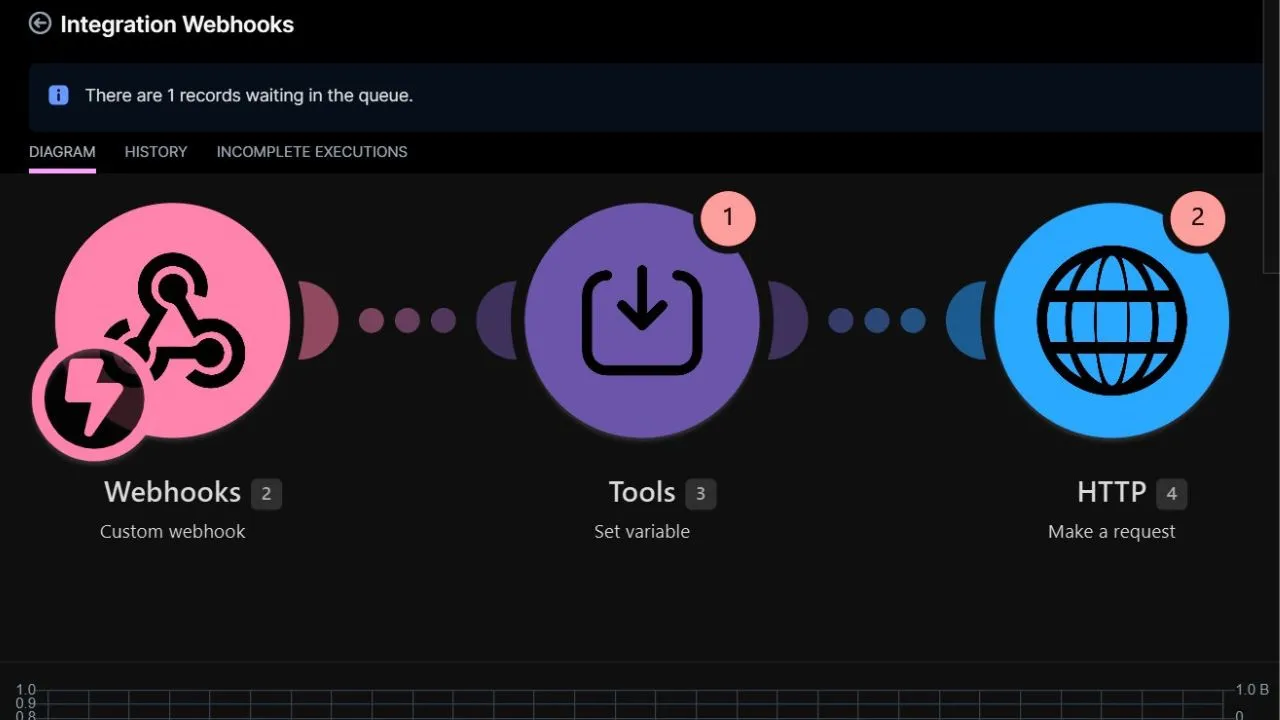
When a prospective business fills out the form, they aren't met with a generic automated receipt. Instead, our cloud engine connects with them in real time, delivering a highly specific diagnostic proposal that answers their exact conversion challenges.
Section 3: Why This Model Dominates the Market
Can AI automation workflows improve my speed-to-lead conversion rates?
Yes, absolutely. In modern B2B service industries, the company that responds first wins the contract the vast majority of the time. When you use an automated sales pipeline, you reduce your response times from 24 hours down to under one minute.
By connecting your forms to an active cloud integration, you gain distinct operational advantages:
- Zero Manual Effort: Your system handles the heavy lifting of company background research before a human sales representative ever opens the ticket.
- Massive SaaS Fee Relief: You completely avoid expensive per-user marketing software seat fees by running your tasks on lightweight, pay-as-you-go cloud API endpoints.
- Scalable Client Experience: Your brand offers highly relevant, professional support completely on autopilot, turning raw inquiries into high-value consultation assets instantly.
To illustrate the bottom-line business value of shifting from a legacy system to an enriched automated routing structure, we compared key performance markers:
Operational Audit: Legacy Autoresponder vs. Real-Time Lead Enrichment
Frequently Asked Questions
What exactly is Jina AI Reader, and how does it help look up company data?
Jina AI Reader is a developer-friendly cloud service that converts any standard public webpage URL into structured, clean markdown formatting. This allows large language models to read the background content of a website instantly. It strips away heavy tracking pixels, cookie popups, and nested scripts that typically consume massive token quantities or confuse processing engines.
Can custom cloud automation nodes handle massive traffic spikes without server crashes?
Yes. Modern cloud routers run on top of serverless technical architectures. This design means that whether your website form receives three requests a week or thousands of submissions an hour, the cloud pipeline adjusts its resources to parse data arrays in parallel. This ensures that your lead intake flows smoothly without slowing down your site.
How do you prevent an automated AI email system from sounding robotic to B2B prospects?
You can manage this through custom instructions within your prompt architecture. By explicitly instructing your processing AI engines to avoid standard filler keywords and business buzzwords, the output reads naturally. Forcing the system to lead directly with technical metrics and site diagnostics ensures that the proposal reads like a personalized assessment from a senior technical consultant.
Do cloud-based lead generation workflows keep my corporate API keys secure?
Absolutely. When you coordinate your database setups through an enterprise orchestration hub like Make, your sensitive authorization tokens, API keys, and connection paths stay completely encrypted inside your private account layer. This setup prevents sensitive credentials from sitting exposed inside your frontend website code layouts.
Can I build these real-time enrichment setups without any software development experience?
Yes. Modern cloud routers utilize highly visual drag-and-drop interfaces. These tools let you link webhooks, web scraping tools, and large language model endpoints together by drawing connection lines on a digital canvas. You can build, test, and run your entire workflow without writing backend codebase architectures.
Final Thoughts: Ownership Over Subscription Overhead
Building a highly responsive business stack requires moving away from heavy, rigid SaaS software templates. Stop settling for slow, boring autoresponders that treat your valuable customer prospects like random ticket numbers. By connecting a visual data canvas straight to pay-as-you-go developer tools, you build a resilient, high-performance content engine that protects your budget while securing top-tier accounts on complete autopilot.
To explore how our custom integrations can streamline your B2B intake processes, check out our solutions.