

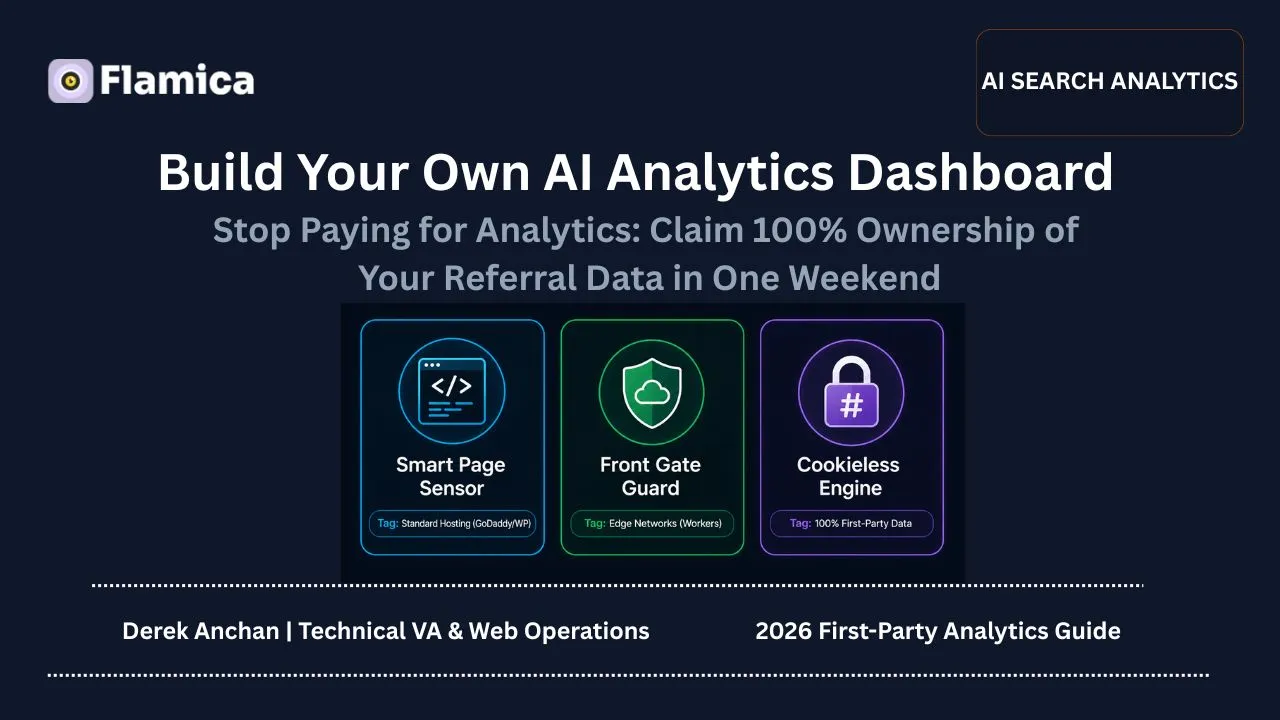
Standard web analytics is dying. If you are using GA4 to track incoming leads from ChatGPT, Claude, Perplexity and other AI sources - you are getting an incomplete picture.
Over 35% of AI referred traffic gets stripped of HTTP_REFERER headers on arrival, while browsers and ad blockers block standard tracking scripts. Your expensive commercial tracking software is providing you with partial and misleading data.
You don't need to pay thousands of dollars for a SaaS hosted analytics solution. A self-hosted privacy compliant dashboard can be setup over a weekend and will capture 100% of your AI driven search traffic, while being completely unaffected by standard client side privacy tools.
Why Is Google Analytics Blind to Your ChatGPT and Perplexity Traffic?
The way users research buying options has changed dramatically. Potential customers no longer rely on shallow keyword queries in Google SERPs – they turn to large language models and ask for specific solutions via generative search.
When these platforms suggest your business and the user follows the link, traditional web analytics tools like Google Analytics consistently fail to register the visit correctly.
Caption: Figure 1. Ingestion flow comparing traditional third-party tracking with self-hosted first-party analytics under ad-blockers and stripped headers.
Traditional tracking fails for three reasons:
- Header Stripping: Privacy tools integrated into mobile apps and desktop clients for LLM services remove the HTTP_REFERER header when clicking through external links.
- Ad-Blocker Interference: Modern browsers incorporate ad blockers for domains known as trackers, like googletagmanager.com/gtag/js.
- Cookie Consent Loss: The high rate of users leaving websites due to the presence of cookie consent banners prevents the analytics code from executing.
With self-hosted analytics tracking that works via your own domain, you are able to overcome all these hurdles and track the referral traffic from generative search engines using only your own website.
The Blueprint: One Goal, Two Different Hosting Paths
There is no need for you to have a full-fledged DevOps team to implement your own Google Analytics solution. According to your choice of hosting provider for your website, you can choose either of the two standardized solutions:.
Method I: The "Smart Page Sensor" (Standard Hosting via GoDaddy or WordPress)
If your website is hosted on traditional servers or CMS, including GoDaddy, WordPress, and Shopify, you may consider this solution to add a first-party page tracker to yourdomain.com/sensor.js.
GoDaddy Shared Hosting Deployment Case Study
A regional B2B software consultancy hosted on standard GoDaddy Linux hosting was registering zero attribution from conversational search platforms, despite prospects mentioning ChatGPT recommendations on discovery calls.
- How It Works: Because the tracking script and API receivers are on your own domain, rather than a foreign domain like google-analytics.com, browsers’ ad blockers recognize the script as an intrinsic part of the website and let it run.
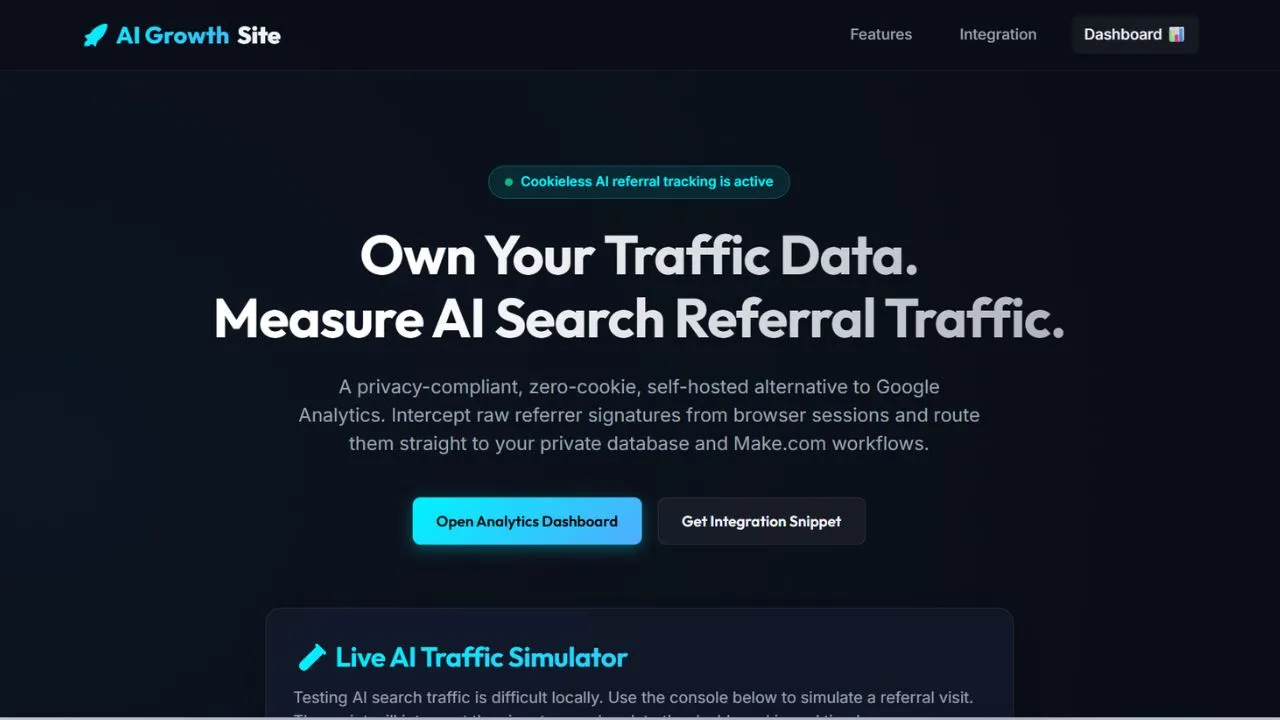
- The Results: The company found, after just 48 hours of running the first-party script, that 18% of the landing pages that appeared to be coming from “Direct” were actually being driven by ChatGPT Search results.
Method II: The "Front Gate Guard" (Cloudflare Edge & D1 Database Routing)
For sites utilizing Cloudflare edge routing (such as Cloudflare), you can bypass client-side JavaScript entirely by tracking incoming traffic at the DNS and edge-network level.
Cloudflare Worker Edge Tracking Case Study
A SaaS platform wanted complete visibility into its generative search analytics without placing any tracking scripts inside the client's browser.
- How It Works: Upon the arrival of a new request at Cloudflare’s edge computing infrastructure, a tiny worker script parses the HTTP headers, asynchronizes the metrics logging into the serverless database that you chose, and sends back the sanitized page to the user. As no JavaScript is being run inside the browser, ad blockers cannot spot nor block such tracking mechanism.
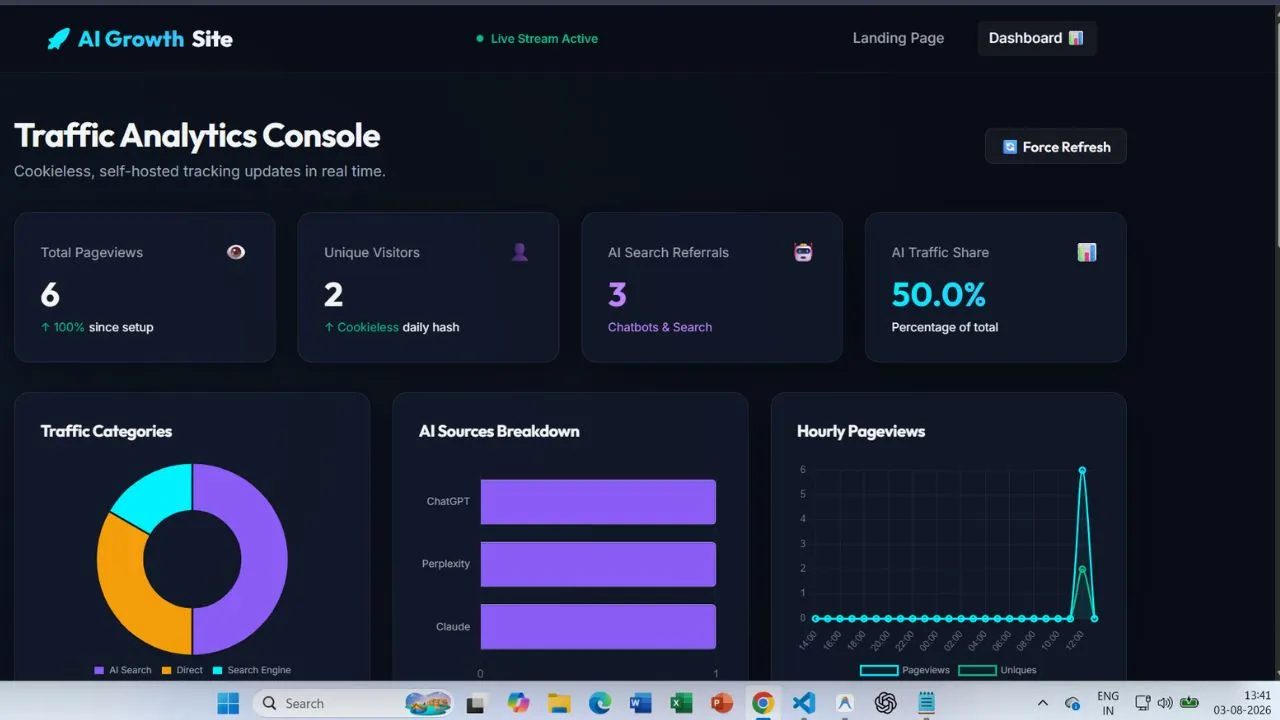
- The Results: The SaaS team was able to implement 100% reliable traffic tracking without any performance hit on the page load times, capturing all their AI search visibility metrics without the use of third-party cookies.
Technical Comparison of Tracking Implementations
The table below breaks down the functional differences between standard Google Analytics and our two self-hosted implementations:
| Feature / Metric | Google Analytics (GA4) | Method I: Smart Page Sensor (GoDaddy/Express) | Method II: Front Gate Guard (Cloudflare D1) |
|---|---|---|---|
| Tracking Level | Browser-side JavaScript | Browser-side (First-Party Script) | Network Edge (Server-Side DNS) |
| Ad-Blocker Resistance | Low (Blocked by default) | High (Runs as first-party resource) | ⚡ 100% Immune (No browser code) |
| Cookie Requirement | Yes (Requires consent cookie) | 🛡️ Zero Cookies (Daily Salt Hash) | 🛡️ Zero Cookies (Daily Salt Hash) |
| Data Ownership | Shared with Google Ad network | 100% Private (Local File/SQLite) | 100% Private (Your Cloudflare Account) |
| AI Referrer Extraction | Standard header dependent | Captures headers + UTM fallback overrides | Captures raw headers at edge level |
| Page Speed Impact | Slows page (loads large SDK) | Invisible (<1KB Async Beacon) | ⚡ Zero Impact (Runs server-side) |
The Business Benefits of Owning Your Analytics
Building your own AI analytics dashboard over a single weekend delivers immediate operational advantages over proprietary analytics packages:
- Privacy Compliance (Zero Cookies Required):
Unlike third-party services that drop persistent tracking cookies on a visitor's device, self-hosted engines do not require first-party cookies to be placed. Instead, daily salt hashing is used to anonymize the collection of metrics.
$$\text{Session Hash} = \text{SHA256}(\text{IP Address} + \text{User Agent} + \text{YYYY-MM-DD} + \text{Secret Salt})$$
The above hash is created using the visitor’s IP address, user agent string, and the salt value which changes daily. This allows the unique number of visitors to be counted on a daily basis without having to worry about any privacy restrictions.
- 100% Data Sovereignty:
Once the prospect hits your website through an intent-rich search on ChatGPT, you can automatically alert your sales team using Slack or even in your CRM so that you are able to capture the fastest possible time to lead.
Automating Your Workflow: Real-Time Alerts via Make.com
Because you control the database backend, you can link incoming AI search performance signals directly to your sales automation channels.
Every time your Express API or Cloudflare Worker receives a new referral, the event payload is automatically pushed behind the scenes into the webhook for workflow automation (e.g., Make.com, Zapier):
{
  "event_id": 412,
  "timestamp": "2026-08-03T13:07:13Z",
  "path": "/tools/calculator",
  "referrer_domain": "chatgpt.com",
  "source_category": "AI Search",
  "source_name": "ChatGPT",
  "device_type": "Mobile",
  "language": "en-US"
}
This JSON payload lets you send Slack notifications or push leads directly into your CRM, giving you an edge in reaching out to your leads promptly. For instance, when a visitor comes in through a high-intent ChatGPT search, you can instantly inform your representatives to reach out.
Frequently Asked Questions About AI Search Analytics
How can I check my website traffic coming from ChatGPT?
You can confirm these visits through either the first party tracking script or an edge-network rule based on the presence of the chatgpt.com and openai.com domains in the HTTP REFERER. Traditional web analytics tools (GA4, etc) would not track such traffic accurately due to stripped REFERER headers on mobile apps.
Will running my own self-hosted analytics slow down my website?
First party tracking scripts are asynchronous and lighter than 1KB – so even if your website hasn’t adopted critical rendering optimizations yet, analytics scripts will not contribute to slower TTFB or render blocking. If you’re building your edge network solution (Cloudflare workers), your logginganalytics.js will execute on the server-side before HTML rendering.
Do I need to display a GDPR cookie banner if I use a self-hosted analytics dashboard?
Self-hosted cookieless analytics tracks users with the help of rotating salt hashes, and not with the help of cookies or other personal identifiers. This scenario is fully compliant with GDPR/CCPA regulations without actually needing any annoying consent banners.
Why does Google Analytics record my AI search traffic as "Direct" traffic?
GA4 and other traditional analytics tools label traffic “Direct” if browser or application layer failed to expose HTTP_REFERER. Conversational AI apps strip REFERER headers while opening links inside the app to avoid tracking. This prevents such traffic from being recognized as “Organic” or “Referral”.
Can client-side ad-blockers block my self-hosted analytics tracker?
Most ad-blocking extensions use collaborative blocklists and only target commercial trackers like Google Tag Manager or Mixpanel. Your self-hosted analytics.js will execute as first party code inside yourdomain.com/sensor.js and not be blocked.
Conclusion & Actionable Next Steps
Analytics maturity has evolved beyond pageviews and rankings. Conversational AI platforms are already directing paying customers to your website – but legacy analytics infrastructure prevents you from capturing this value.
3-Step Action Plan to Claim Your AI Traffic Data:
- Audit Your Hosting Architecture: Determine whether your site runs on standard hosting (deploy Method I) or utilizes serverless edge routing like Cloudflare (deploy Method II).
- Deploy Your First-Party Tracker: Set up a 1KB sensor script or deploy an edge worker to begin capturing raw HTTP referrer headers.
- Connect Real-Time Webhooks: Connect your database of analytics to your CRM or Slack to notify your team whenever traffic from your generative search comes through your conversion pages.
To learn more about optimizing your brand for conversational search platforms, read our complete guide on ChatGPT Search Trends in 2026 or explore our AI Search Visibility Services.
}