

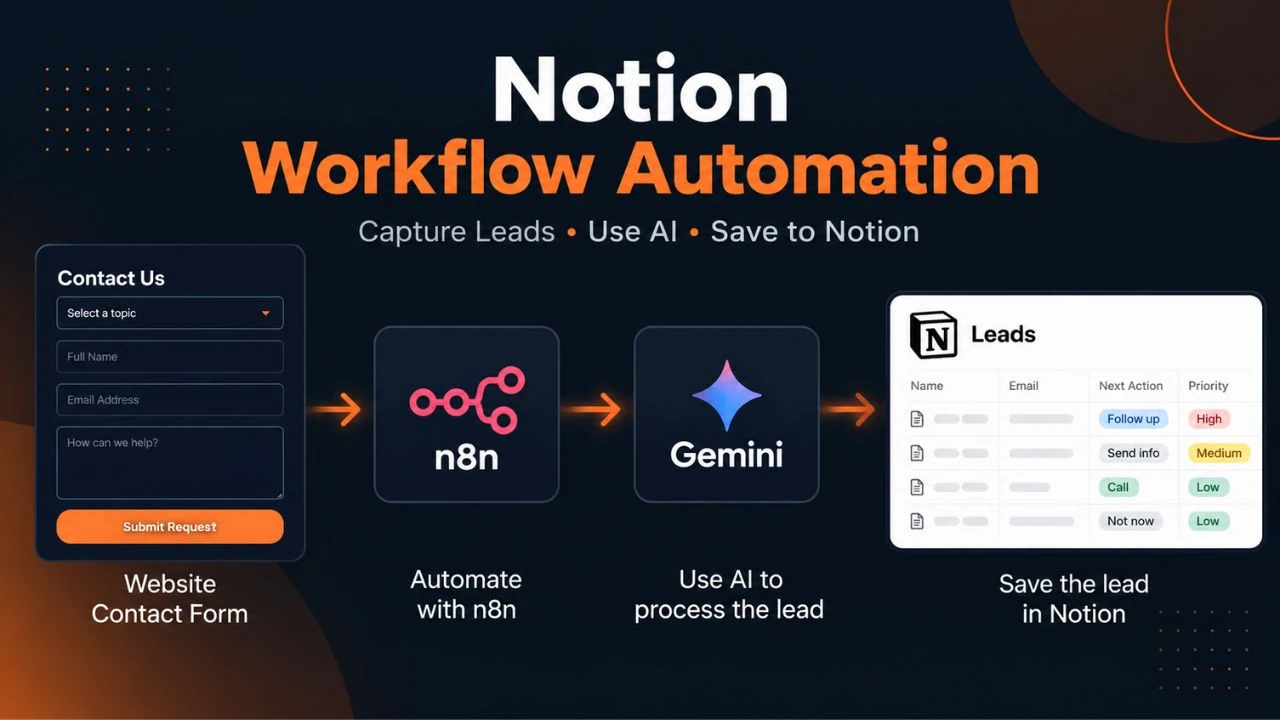
A website contact form collects an enquiry, but the information is only useful when it reaches the right destination and someone can act on it. In this example, n8n receives the submission, filters potential spam, and passes the relevant information to Gemini for processing before the resulting record is saved in Notion.
Here goes a real-life example of Notion workflow automation. Rather than giving descriptions of twelve various business cases, this guide will focus on one particular case.
Notion serves as the destination for storing lead records. n8n is the engine of the workflow, while Gemini is responsible for the AI-processing workflow. The website form is where the process begins.
How our Notion workflow automation works
The workflow proceeds in the following order:
Website contact form → n8n webhook → spam filtering → Gemini processing → Notion lead database
Each step has a unique function.
- Website contact form: captures the inquiry of the visitor.
- n8n webhook: captures the data and triggers the flow.
- Spam filtering: analyzes the entry prior to proceeding further.
- Gemini: processes the lead information according to the configured instructions.
- Notion database: stores the resulting lead record.
The workflow is created to minimize the number of actions needed for capturing and registering an inquiry. It does not indicate that all leads will be automatically properly qualified or a company will not need to analyze its incoming inquiries.
1. Begin with the website contact form
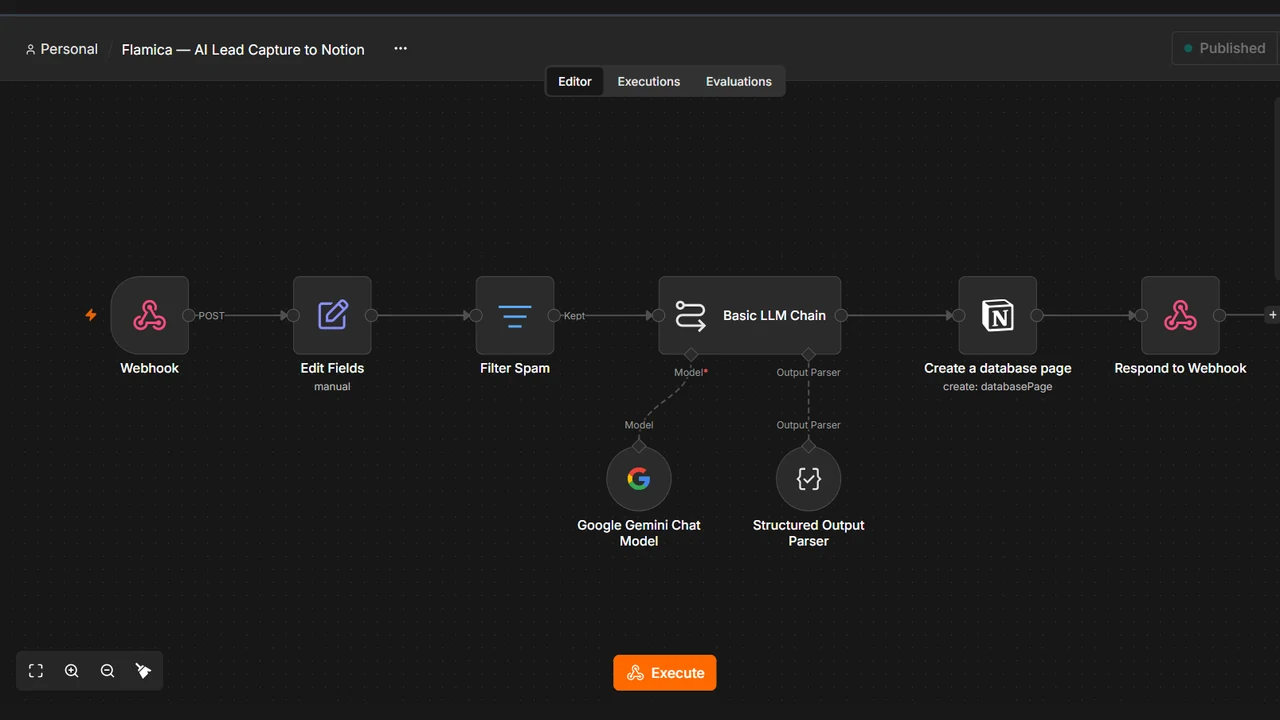
The process starts with the submission of the contact form by the visitor to the website.
The form gathers the data the organization requires. They become the inputs to the automation process and hence their names and values become very significant.
As an illustration, in case the form receives the name, e-mail address, and query from a person, then the workflow that receives them has to correctly identify the inputs. An incorrectly placed or named field can impact every subsequent action.
The key takeaway here is that there has to be alignment between the contact form and the automation process.
2. Receive the submission through an n8n webhook
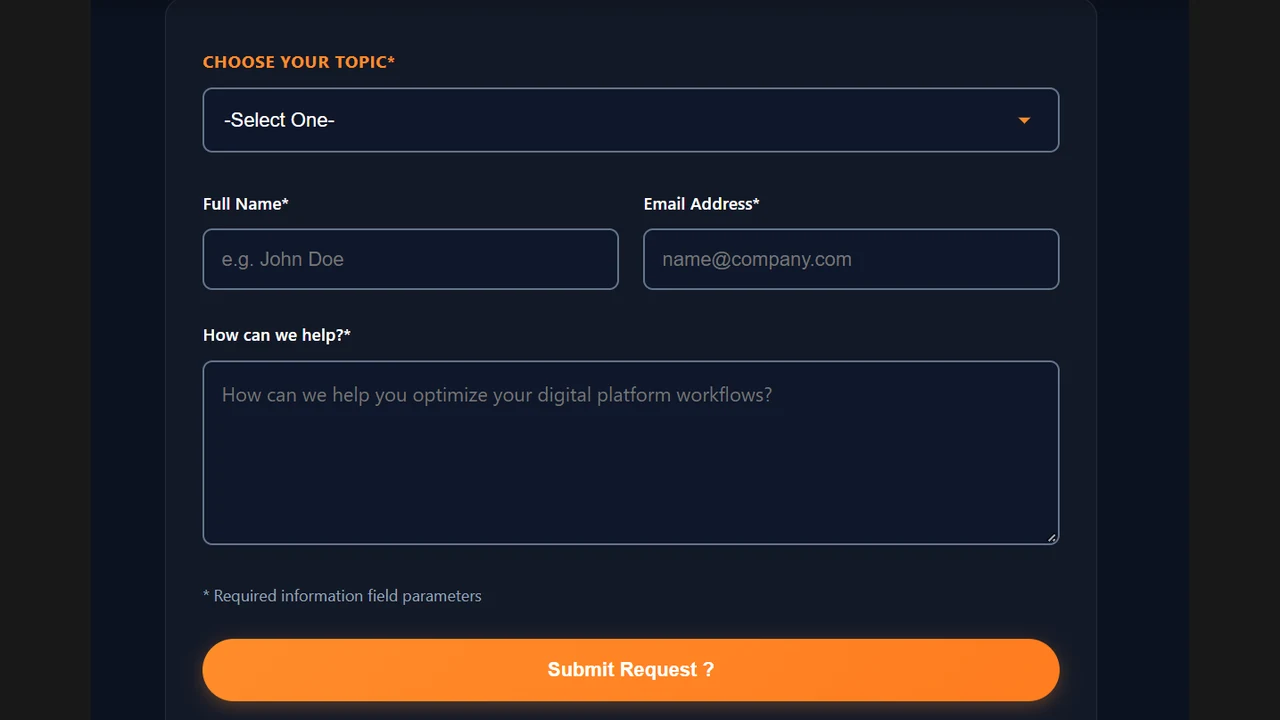
The next step is the n8n webhook.
A webhook provides a URL that an external application can call when an event occurs. In this workflow, the website form submits the data to the n8n webhook, which starts the automation.
A webhook itself does not constitute the full automation process. A webhook serves as the entry point. The rest of the nodes define what happens once the data reaches the webhook.
When building such an automation workflow, ensure that the right fields are being sent by the website and that n8n receives this data in the correct format. It is also important to differentiate between the testing URL and the production URL of the webhook while transitioning from development into production.
Here is a link to the official n8n webhook documentation for webhooks.
3. Filter spam before processing the lead
All contacts from a form submission are not alike. Spam submission may be costly to process and complicate a lead database.
Spam filtering is included in our workflow before Gemini handles the form submission. In this way, the automation process has a chance to sort out submissions to continue and submissions not to proceed with.
The spam filter has to meet the real conditions set up in the workflow. It cannot be considered an assurance that all spam submission will be detected. Sometimes a genuine query may seem peculiar as well, so it is necessary to apply suitable filtering conditions.
For the production process, it is reasonable to test some typical submissions: a regular query, an incomplete query, and those to be rejected.
4. Use Gemini to process the lead information
Once the spam filtering process is complete, the required information will then be forwarded to Gemini for processing.
This depends entirely on the type of instruction and fields included in the particular workflow. The use of AI in processing could be useful in organizing the unstructured inquiry texts, but the output will depend on the input and prompts.
Do not take it for granted that you can just use any field created by the model in your workflow. It is wise to ensure that where a particular value is vital in your workflow, you check for its presence and proper formatting.
In describing Gemini, focus on the type of processing carried out rather than assuming that the particular model verifies individual's identities or that a lead is qualified among other aspects. This does not mean the workflow performs these checks automatically. Any identity verification or lead-qualification checks must be implemented and tested separately.
For the implementation of Gemini in n8n, refer to the n8n Google Gemini node documentation.
5. Save the resulting record in Notion
After the workflow has gone through the submission, the Notion action creates the lead record in the database destination.
This is where the automation starts to be useful for the person receiving the enquiry submissions. Rather than manually copy-pasting the approved submissions to a new record, the workflow passes the required values to the specified Notion properties.
It is important to make sure that everything is correctly mapped. The name needs to go to the specified name property, the enquiry to the specified enquiry field, and so on.
There is also the need to give access permissions to the required Notion items. If the connection cannot access the destination, the database operation may fail even when the earlier steps have worked.
The n8n Notion integration documentation describes the available Notion operations. The specific properties and values used in our implementation should be documented from the actual workflow, not inferred from the general documentation.
6. Test the complete workflow, not just individual nodes
The workflow may be correct in the editor but may malfunction during the exchange of information between systems. The testing of the whole workflow will reveal issues that would not have been seen in individual nodes.
For our lead-capture workflow, verification should cover the following:
- Form submission: does the website submit the expected data?
- Webhook receipt: does the n8n execution receive the correct fields?
- Spam filtering: does the workflow follow the configured path for the test submission?
- Gemini processing: does the output contain the fields the next step expects?
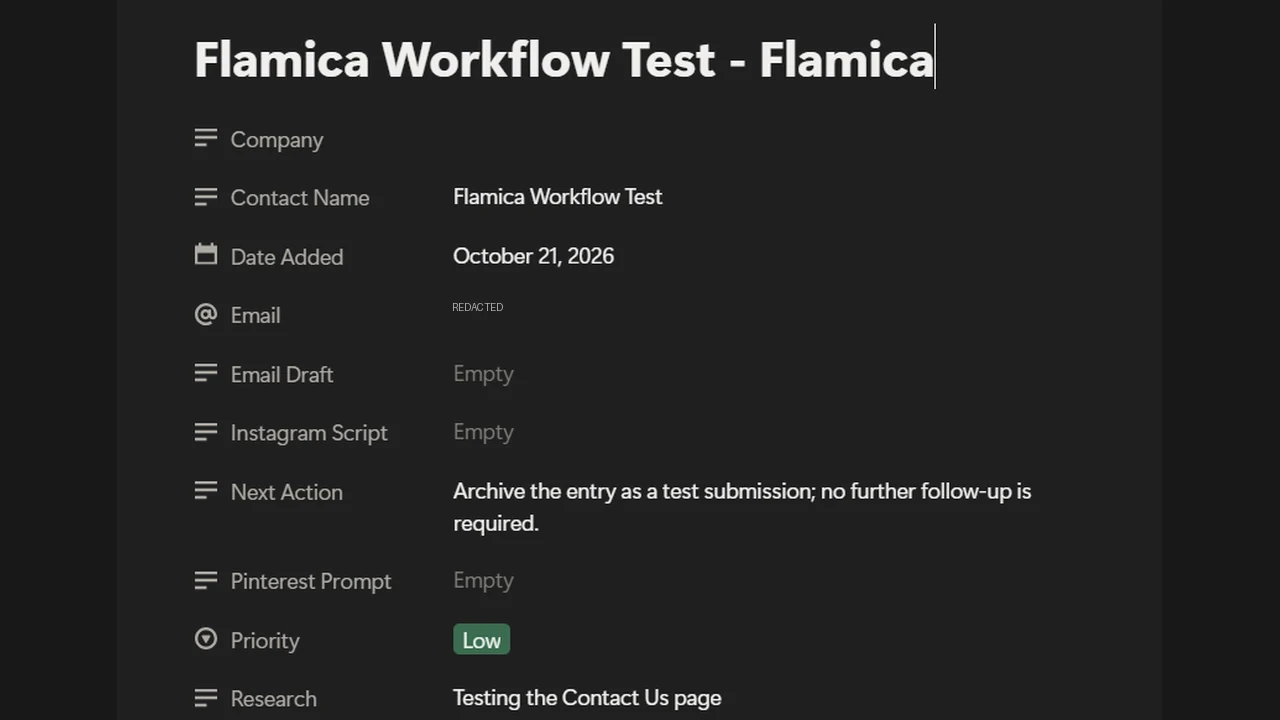
- Notion record: does the destination contain the expected values?
- User-facing response: does the website show the intended confirmation after submission?
Our website's contact form and thank-you page have been tested. A successful end-to-end execution should also be documented with a screenshot from the actual n8n run.
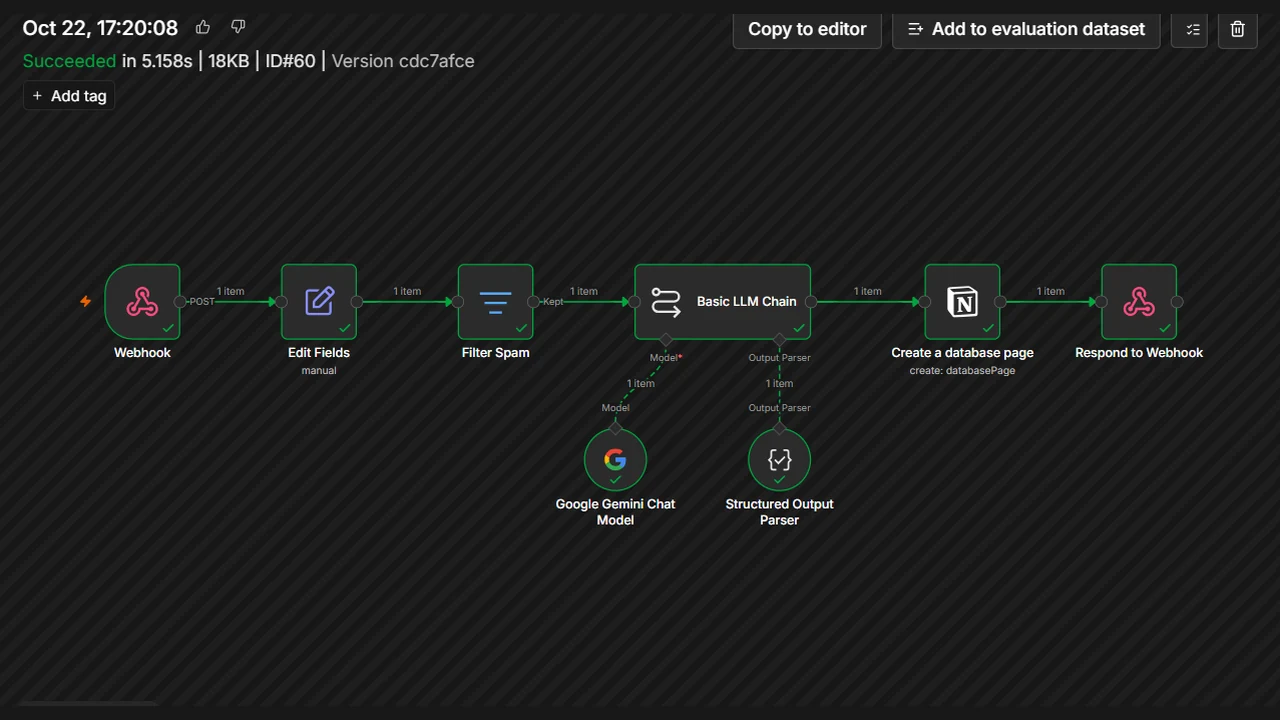
A successful testing means that the tested flow functioned with that input data. It does not mean that all possible inputs, API failure, and responses from the model would work.
Before the deployment into production, you need to determine how the failed flows will be detected and run again, and how duplicate inputs can be avoided. You should document those safeguards after implementing them and testing.
7. What this example teaches about Notion workflow automation
The lesson to draw from this example is that Notion workflow automation is not necessarily automation of all parts of the business.
Focusing on a workflow allows the connection of a source of information to a processing and a destination point. In our example, the source of information is the website contact form; n8n acts as the controller, Gemini as the processor of the information, while Notion acts as the destination storing the record of the lead.
What distinguishes these tools from each other is that:
- Notion will store the lead information.
- n8n will coordinate the steps and control the execution pathway of the process.
- Gemini will execute the AI processing task which was configured for it.
- The website captures the initial enquiry.
This is actually a helpful approach to look at the Notion workflow automation examples. Start with the actual process, identify the flow of the information and choose the tools for the job to be done by them.
When looking for automation tools, start with defining the actual steps of your process. Comparison of automation tools makes sense only in this context.
A note about Notion domain searches
People may reach information about the Notion product through searches for notion.so or older references to notion.io. The existing official website is Notion.com, and the existing notion.so domain name will redirect you to this website.
However, the notion.se name is another matter; it should not be considered an official Notion Labs domain. This article's workflow refers to the Notion productivity workspace used as the lead database, not to every website that contains the word “Notion.”
Frequently asked questions
What is Notion workflow automation?
Notion workflow automation links Notion to the process which involves creating or updating information through lesser manual steps. In this particular case, n8n will receive the web form submissions, perform filtering on the data, and then store the results in a Notion database.
How do you automate a Notion workflow with AI?
To begin with, identify the process and its requirements. In our case, the website form will provide the information, n8n will take care of the workflow, Gemini will process the required fields, and Notion will store the generated record. Each stage should be set up and verified.
What triggers this Notion workflow?
The website form submission starts the process through an n8n webhook. Different workflow designs may employ other triggers, but this tutorial explains the trigger employed in this specific design.
Is this a Notion workflow template?
This article explains the workflow process and its steps; it is not a template that can be downloaded or imported. A repeatable template would have to consist of the workflow configuration, credential setup, field mappings, and more.
Does this workflow replace human review?
No. Automation will cut out manual duplication and help categorize any new information, but it is important to note that AI-generated leads and content are not always accurate. A company needs to choose which leads will be reviewed manually and how exceptions will be managed.
Try the workflow approach on your own process
Take a recurring task. See where your data comes from, how it has to be processed, and where it has to go. Then you can try out each step of the process using some sample data that is both realistic and safe.
If you want to look at the tools, check out our Notion overview and n8n automation case study. For help planning an implementation, visit Flamica's workflow services.
It’s not about implementing AI on every single thing. It’s about designing a workflow to address a problem and test, monitor, and maintain it.