

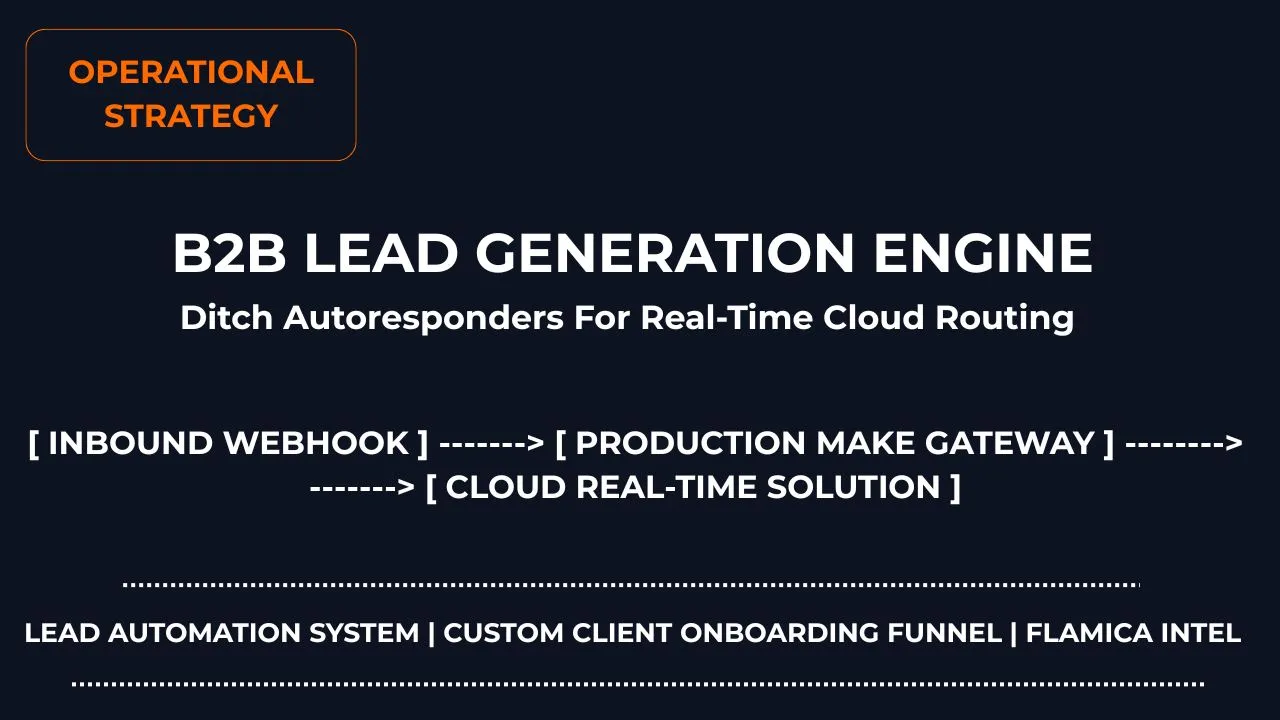
Last updated: July 2026
9.5 | 10
The Cost of the Slow Contact Form
Every business owner knows the thrill of getting a hot new sales lead. A potential client lands on your website, reads your service page, and fills out your contact form. They are excited to work with you right now.
But what happens next inside most companies is a complete conversion killer.
The lead gets dropped into a basic, generic email autoresponder system. An hour later, the prospect gets a boring, robotic email that says: "Thanks for contacting us! Someone will get back to you in 24 to 48 hours."
By the time a human manually reads that email, copies the details into a tracking sheet, and types out a real response, days have passed. Your prospect has already moved on, filled out three other competitor sites, and spent their budget elsewhere.
To win high-value clients today, you have to move past slow email systems. You need to build modern B2B lead generation workflows that intercept client interest instantly, process the data securely, and set up your team to reply while the prospect is still sitting at their desk.
Operational Extract
For system architects, web operators, and conversion managers designing automated database pipelines, here is the baseline engine optimization layer:
- The Input Blueprint: Replace heavy, third-party iframe form plugins with lean, native background asynchronous calls to eliminate site speed delays.
- The Routing Harness: Deploy a centralized lead automation system via usage-based data channels to keep operations agile without per-seat platform taxes.
Section 1: The Hook (Why Static Capture Wins)
How can I generate B2B leads automatically without paying for expensive form platforms?
Most businesses fall into a highly expensive operational trap. They use clunky, third-party form builders that charge massive monthly subscription fees just to collect basic text fields like a name and an email address.
Worse, these rigid platforms route your hard-earned client data through their own external servers. When a user hits the submit button, your website forces them to look at a generic, ugly redirect page hosted on another domain. This completely breaks your user experience, slows down your page performance metrics, and causes hot prospects to abandon your sales funnel entirely.
The alternative is simple: build a lightweight, secure website data capture layer running on top of modern static cloud infrastructure, such as Cloudflare Pages.
By using raw, native frontend building techniques instead of bloated layout plugins, your site loads instantly on mobile screens. You gain 100% control over where your user data travels, you keep your visitors on your own brand domain, and you drop your software bill down to exactly zero dollars.
Section 2: The Invisible Operational Trap
Why are my web contact forms breaking quietly after background platform updates?
If you manage a modern company website, you might be suffering from an invisible data leak without even realizing it. Most traditional sites rely on complicated template builders and visual builders to structure their pages.
When your team runs a routine site update script or deploys a new design template block, the site builder frequently overwrites your custom code modifications behind the scenes. It breaks your backend connection pathways, leading to missed client emails and broken forms while your dashboard claims everything is working perfectly.
graph TD A[Run Routine Website Update Script] --> B[Visual Builder Overwrites Custom Layout Files] B --> C{Form Component State} C -->|Mismatched Code Field| D[Contact Form Fails Quietly / Leads Disappear] C -->|Isolated Asset Layer| E[Branding Logos & Schemas Remain Safe & Online] style E fill:#00d2ff,stroke:#fff,stroke-width:2px,color:#000 style D fill:#ff9900,stroke:#fff,stroke-width:2px,color:#000
To protect your business from this nightmare, you must treat your primary marketing assets as isolated operational components.
For example, your high-resolution corporate logo and underlying core framework settings must sit inside protected asset directories. This ensures that no matter how many times your team changes visual page designs, your high-value asset styling and data pipelines remain completely intact across every single page level.
Section 3: Securing the Data Hand-Off
Which automation tool is best for managing B2B sales leads in real time?
To build a highly responsive automated sales pipeline, you need to make the user journey completely frictionless. When a user clicks the "Submit Request" box on your site, they shouldn't experience a slow, jarring page refresh. Instead, your site should use a lightweight background script (AJAX or Fetch) to pass the data silently in the background while instantly showing a beautiful success checkmark on the screen.
The moment the customer clicks that button, the system drops the data payload directly into an intelligent, secure routing gateway like Make.
Instead of routing data through a slow email autoresponder, this automation tool handles the lead routing dynamically:
Instant Validation: The script reads the entry and verifies the data format instantly.
Context Enrichment: The pipeline passes the company domain to look up their industry size and business metrics.
Database Logging: The system drops the organized client profile straight into a clean, shared dashboard row, giving your team a single source of absolute truth.
Technical Case Study: Migrating from Passive Receipts to Direct Cloud Routing
To prove the operational impact of this shift, we completely refactored our internal marketing bridge. We stripped away a legacy, slow form-plugin stack and deployed a lightweight asynchronous frontend script connected to a unified cloud data routing architecture.
The Architecture: Local Sandbox Testing to Production Node
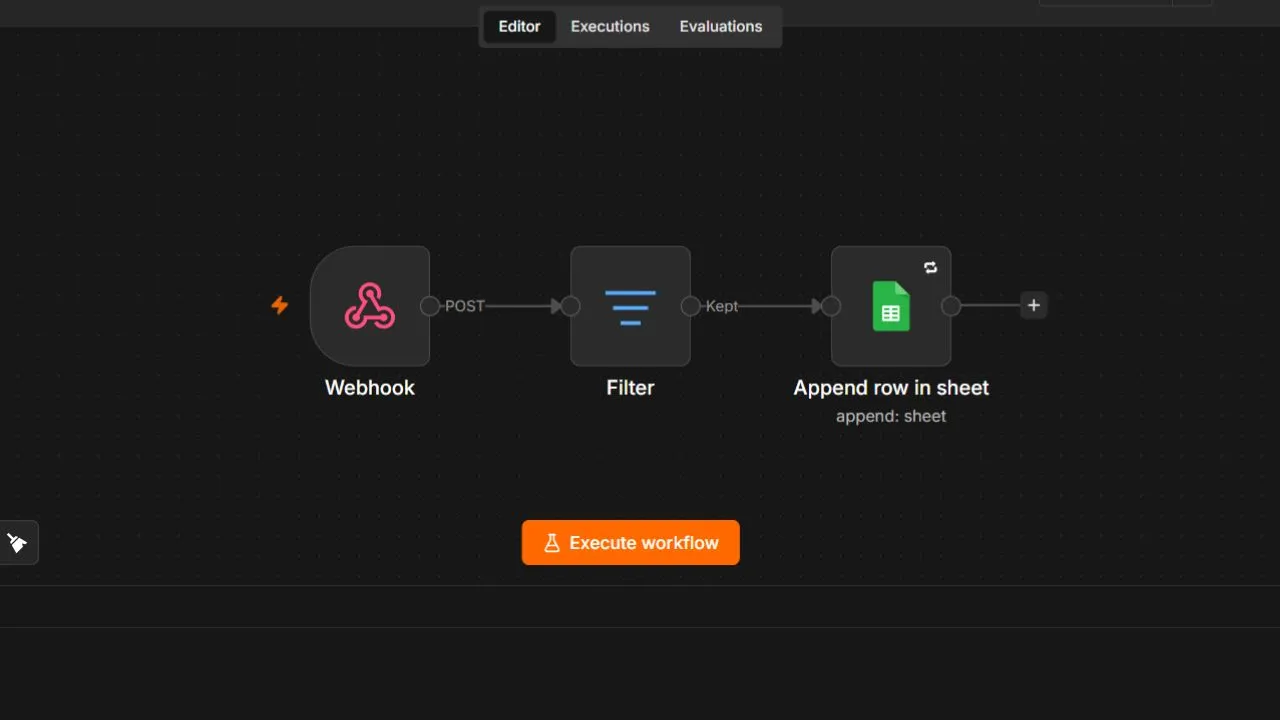
During the prototyping stage, we used a local n8n workflow sandbox running on our local server node at localhost:5678 to test inbound webhooks, parse text values, filter fields, and append entries to a staging database structure safely without burning system live request parameters.
Once our local sandbox testing phase passed with zero structural field drops, we migrated our architecture to a live enterprise cloud runtime engine via Make. This custom cloud script acts as our permanent production gateway, monitoring incoming parameters 24/7.
The Operational Result
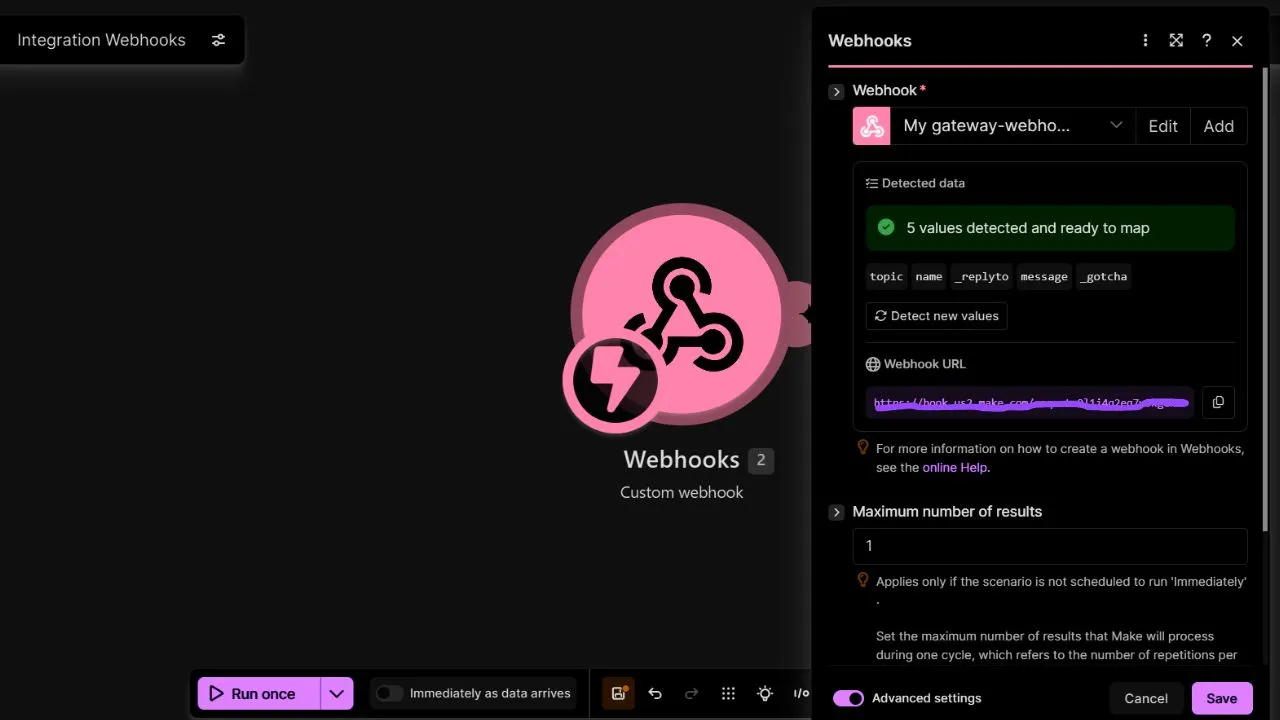
This unified workflow completely replaces the need for a legacy, static email autoresponder. Instead of sending a slow, generic message that sits unchecked inside a user's inbox folder, our production system connects with contact form fillers in real time.
The cloud gateway instantly intercepts incoming payloads, evaluates text intent strings, and serves specialized, 24/7 custom workflow solutions uniquely tailored to handle their precise lead generation requirements. The operational efficiency metrics show the true strategic advantage:
By replacing clunky tools with a sleek, automated database sync, the consulting firm dropped their software maintenance bills while accelerating sales outreach. By responding to prospects instantly with custom solutions, they secured high-intent clients before competitors even realized the inquiry had landed.
Frequently Asked Questions
What is the difference between an autoresponder and a sales workflow?
An autoresponder simply sends a generic, pre-written email broadcast template at a fixed time interval without knowing anything about the customer. A sales workflow is an intelligent data pipeline that instantly checks client details, updates your team's tracking databases, and routes hot opportunities to the right team member based on live operational logic rules.
Can I run advanced data capture scripts safely on shared hosting environments?
Yes, but you will achieve significantly faster load times and much better system security by hosting your client form blocks on an isolated global static framework rather than relying on heavy, unoptimized database server setups.
How do usage-based automation tools help scale my business operations?
Traditional marketing software platforms charge you steep monthly rates for every user profile sitting inside your system. Usage-based data engines only charge you small fractions of a cent for the exact server calculations you use during live actions, allowing your sales volume to grow without heavy tool bills.
Will automated forms protect my customer data from security leaks?
Absolutely. By routing your web form submissions directly through secure API channels straight into your private cloud databases, you completely bypass the risk of third-party tool software breaches and maintain absolute data ownership.
How do I stop custom website update commands from breaking my custom forms?
You should build your site using a modular layout approach where your visual tracking elements and operational data layers sit inside completely separate asset files. This keeps your backend connections perfectly safe even when your team runs heavy theme design updates.
Final Thoughts: Building Assets, Not Tasks
Winning the digital growth game requires shifting how you view your business systems. Stop throwing money at disconnected email apps that leave your sales leads sitting cold inside dark email folders. Instead, focus on building a robust, high-performance B2B lead generation workflows footprint that treats incoming inquiries as high-value data assets.
Ready to completely transform your client response loops and see how these automated pipelines build the ultimate custom solution in real time?
👉 Continue to Part 2: Building Real-Time Solution Workflows for Instant Client Response →