
Last updated: October 8, 2026
Google Gemini has changed.
The name has stayed familiar.
The way you use it has not.
Gemini is no longer best understood as a standalone chatbot. It now sits across Google's consumer applications, Search, Workspace, connected apps, developer tools, and a growing set of agentic features.
Some work still starts with a normal conversation.
Other tasks become useful only when Gemini can work with information from Gmail, Drive, Calendar or other connected services. Research can use Search and additional sources. Deep Research can plan an investigation rather than simply answer a question. Gemini Spark can handle scheduled or ongoing tasks.
That makes a simple question such as “Can Gemini do this?” less useful than it once was.
The more practical questions are:
Which Gemini surface is doing the work? What information can it access? What permissions does it have? And where does a person still need to check the result?
That is the focus of this review.
There is no arbitrary overall score.
There is no single benchmark prompt presented as universal proof.
Rather, this review includes both recent Google documentation as well as controlled testing of search grounding, long-document extraction, Workspace creation, structured data processing, and other functions by Flamica.
Availability of products, prices, availability of models and their limitations may vary. The current Google documentation should therefore be treated as the final authority when making a purchase or deployment decision.
Gemini at a Glance
| Area | What Gemini offers | What to watch |
|---|---|---|
| Everyday assistance | Writing, summarization, brainstorming, translation and general question answering | Outputs still require verification |
| Search | Google Search integration and source checking | A cited source does not automatically make every statement correct |
| Deep Research | Multi-step research planning and report generation | Research reports still need source inspection |
| Google Workspace | Gemini features across Gmail, Docs, Sheets, Drive, Meet and other Workspace surfaces | Availability depends on account and Workspace licensing |
| Long context | Up to 1 million tokens in current AI Pro and Ultra Gemini Apps contexts | Context capacity varies by plan |
| Gems | Reusable customized Gemini assistants | Google is transitioning toward Skills |
| Gemini Spark | Agentic workflows and scheduled tasks | Requires stronger permissions and supervision |
| Multimodal work | Text, images, documents, audio and video | Capability varies by model and surface |
| Coding | Coding assistance across Gemini, AI Studio and developer tools | Consumer chat is not a complete software engineering environment |
| Privacy | Different controls for personal and managed Workspace accounts | Personal and business data policies should not be treated as equivalent |
The broader picture is more important than any single feature.
Gemini is becoming an ecosystem layer across Google's products rather than simply another text box.
What Is Gemini Today?
Gemini is Google's suite of AI experiences that include conversational assistance, Search, productivity applications, research, multimodal analysis, and developer platforms.
As it turns out, that means Gemini can:
- write and rewrite content
- summarize documents
- analyze uploaded files
- work with information from connected Google services
- search for current information
- conduct deeper research
- generate and analyze images and other media
- assist with coding
- create reusable customized assistants
- perform certain scheduled or agentic tasks
The interface can make these capabilities look like one product.
Functionally, these should be considered as distinct surfaces using Google’s Gemini technology.
The reason this is important is that the permissions, limitations, and data boundaries vary from one surface to another.
The Gemini Workflow
Gemini can be judged effectively through following the process of a genuine task.
It follows the steps shown below:
Choose the surface → provide context → investigate or generate → inspect sources → verify → take action
The first decision is where the task belongs.
A simple writing request may stay inside Gemini chat.
A document task may involve Google Docs.
An information request may use Search.
A deeper investigation may use Deep Research.
A task involving personal information may require a connected app.
An ongoing workflow may involve Gemini Spark or scheduled actions.
Context comes next.
The quality of the output is also contingent on what Gemini sees from the above elements: prompt, the uploaded files, the services connected, Search results, or other acceptable sources.
Then comes generation or investigation.
Lastly, verification.
As Google itself states, Gemini Apps are capable of making errors, and thus response verification is advised instead of automatic reliability. Google Help Center
That remains important even when Gemini provides sources.
For research, inspect the cited source.
In the case of spreadsheets, examine the formulas.
Where business correspondence is involved, review the names, dates, recipients and confidential data before doing anything.
The closer Gemini gets to acting inside your working environment, the more important this final stage becomes.
Gemini's Core Capabilities
1. Everyday Chat and Writing
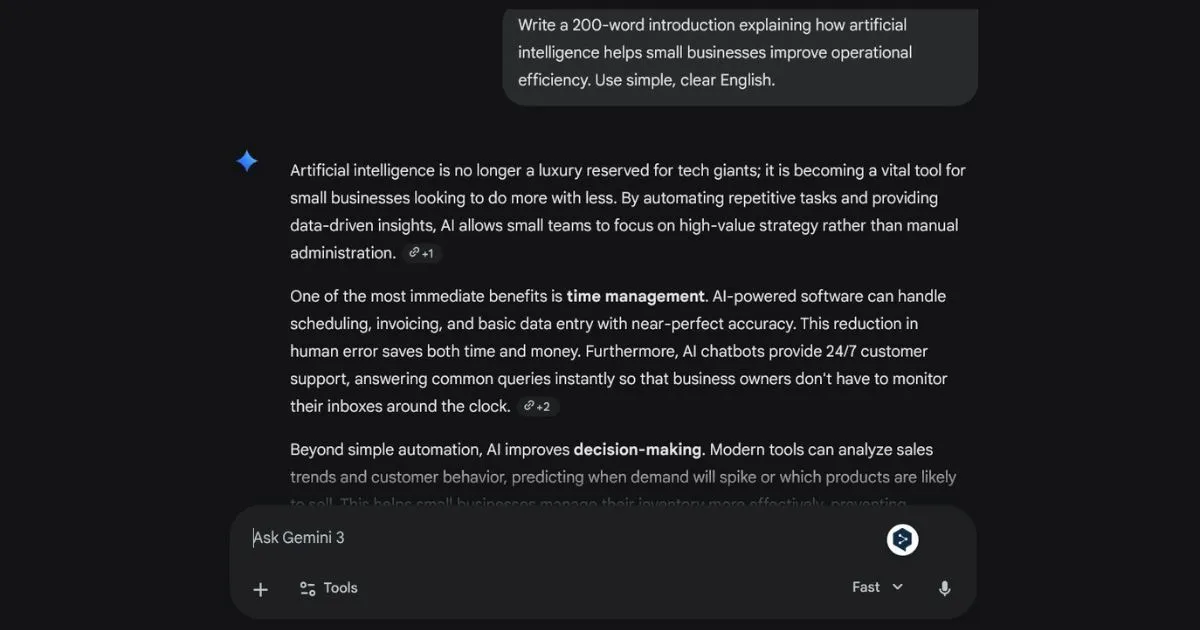
Conversational assistance remains the simplest way to use Gemini.
It can help with:
- articles and reports
- emails
- summaries
- brainstorming
- translations
- outlines
- rewriting
- explanations
- structured drafts
Output quality will depend on how the assignment is stated.
Vague prompts will result in well-written, but generic outputs.
Limited prompts are generally more helpful.
For instance:
Context:We need to develop an onboarding guide for new project managers of a digital agency.
Task:Write a 300-word summary on how to deal with client scope creep.
Constraints:
- Use a calm tone of voice.
- Provide three actions.
- No jargon terms
- Use clean Markdown.
- End with a short checklist.
Output:Return only the revised Markdown.
This type of prompt gives Gemini a much narrower target.
This is not an exclusive lesson for Gemini alone, but the lesson becomes especially useful when the instrument is able to produce good prose that could at other times be unnecessarily specific.
2. Google Search and Deep Research
Search is one of Gemini's defining advantages because it connects the assistant to Google's broader information environment.
Deep Research takes the idea further.
Google's current documentation describes Deep Research as a multi-step research process. Search is pre-installed, but users can also add other sources like Gmail and Drive or upload files.
Gemini makes a research outline before preparing a report. Google Help Center
This is a key difference:
Search helps find some information.
Deep Research helps investigate a broader question.
An easy question may require several searches.
A difficult research question may involve the following steps:
Research question → planning → multiple searches → source analysis → synthesis → report
The second approach is a slower process, but it is more suitable for complicated questions.
Flamica's controlled Search test
Flamica evaluated Gemini on a factual technology infrastructure task involving cloud data residency, compliance certifications and published uptime commitments.
The test evaluated 15 factual claims.
The response produced 13 citation badges. Twelve resolved to accurate primary documentation pages, one resolved to a third-party directory, and there were no broken links.
That is useful evidence of strong retrieval performance on this particular structured task.
This is not an indication that all references from Geminis will be right.
It is exactly because of the third-party outcome that the verification of sources becomes essential when there are regulatory or contract-related issues involved.
3. Google Workspace Integration
Here lies the difference between Gemini and a generic chatbot.
Gemini is integrated into Google’s workspace environment, which includes tools like Gmail, Docs, Sheets, and Meet. Google Workspace also offers administrative and data protection tools for businesses. Google Workspace
It is simple as that:
The AI tool works closer to where the actual work takes place.
A workflow might look like:
Gmail / Drive / Docs → Gemini → summarize or draft → inspect → edit → approve
Connected Apps can extend this further. Depending upon the type of account and availability, Gemini works with services such as Gmail, Calendar, Drive, Docs, Sheets, Slides, Keep, Tasks, and Meet. Google Help Center
But integration does not mean unlimited access.
The connection applications for Workspace are restricted by the administrator's choice. Gemini operates inside the current user privileges and does not have unrestricted access to the company. Google Workspace Help
That is an important distinction for business use.
4. Long-Context Document Work
One of the practical aspects of Gemini is the ability to cope with numbers; however, it should be articulated accurately.
Google's current Gemini Apps documentation lists:
- 32K tokens without a Google AI plan
- 128K tokens with Google AI Plus
- 1 million tokens with Google AI Pro and Ultra. Google Help Center
This is quite distinct from using a 1 million or 2 million token context for all Gemini interfaces.
The practical consequence remains important.
A large enough context could make Gemini work on large documents such as policies, technical documentation, research papers and other large information sets without first chopping up the document into smaller parts.
However, just because of the large context, there is no guarantee of successful extraction.
Document quality still matters.
Formatting matters.
Scanned or poorly structured documents can be harder to interpret than clean digital text.
Flamica's long-document test
Flamica tested Gemini using a 95-page synthetic technical specification containing architectural constraints, database schemas and compliance rules.
The task required Gemini to:
- locate 10 security parameters
- identify conflicting timeout values
- produce structured JSON
- avoid inventing parameters
All ten parameters were detected, as well as the thirty second versus sixty second conflict, without generating any false configuration keys.
That is a useful result.
It does not establish identical performance on arbitrary PDFs, scans or much larger real-world repositories.
5. Multimodal Work
Gemini is designed to work across more than text.
Depending on the model and surface, Gemini can work with:
- text
- images
- documents
- audio
- video
That makes it useful for tasks where the information itself is visual.
For example:
- interpreting a chart
- extracting information from a document
- analyzing a screenshot
- summarizing video content
- combining written instructions with visual evidence
What is crucial to understand is that being multimodal does not equal good visual comprehension.
A chart with labels at high resolution is one thing and a screenshot of the same with small print another.
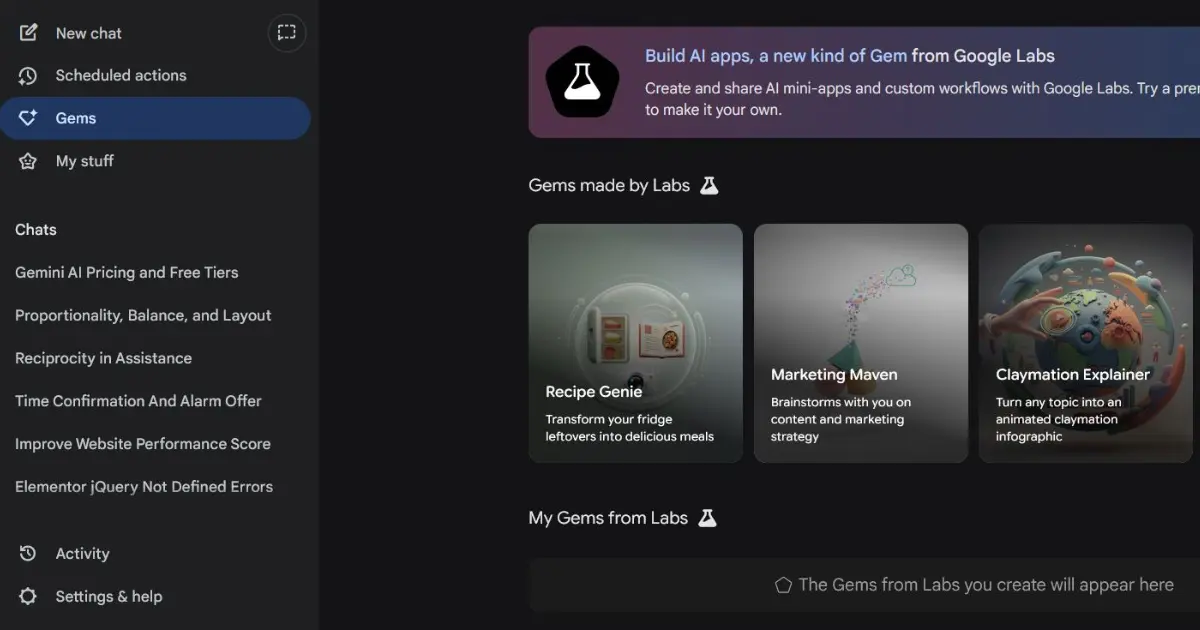
6. Gems — and the Move Toward Skills
Gems are tailored versions of Gemini that are meant to perform repetitive tasks. They have been defined by Google as a method of customizing the response of Gemini to repetitive goals. Google Help Center
That makes them useful for things such as:
- editorial style checking
- recurring research formats
- coding assistance
- meeting follow-up
- standardized business outputs
But there is an important current development.
Google is introducing Skills as a newer, modular way of applying reusable instructions across Gemini and Workspace. Google's documentation says Skills are intended to replace Gems over time, with the transition beginning in 2026 and continuing into 2027. Google Workspace Help
So a current Gemini review should not present Gems as a completely static feature.
The more useful conclusion is:
Google is moving toward reusable AI instructions that can travel more naturally across different Gemini surfaces.
7. Gemini Spark
Gemini Spark is one of the more significant changes to Gemini's role.
Google describes Spark as a personal AI agent that can automate complex workflows and manage ongoing tasks. It can use information from connected apps and other permitted sources, and it supports scheduled workflows. Google Help Center
Google also expanded Spark to India for Google AI Pro subscribers in 2026. blog.google
This changes the traditional chatbot model.
Instead of:
Prompt → answer
the model becomes:
Goal → task → background execution → result
That is more powerful.
It is also more consequential.
Google explicitly warns users to be careful with sensitive information and notes that some tasks may require supervision or confirmation. Google Help Center
The right way to evaluate an agent therefore isn't simply:
“Can it perform the task?”
It is:
“What can it access, what can it change, what confirmation is required, and what happens if it makes a mistake while I am not watching?”
8. Coding and Developer Work
Gemini can be useful for coding, but the surface matters.
Consumer Gemini is useful for:
- explaining code
- generating snippets
- translating functions
- debugging individual problems
- discussing architecture
More advanced development belongs in Google's developer ecosystem, including Google AI Studio, Gemini Code Assist and Vertex AI.
Google AI Pro also currently includes developer-oriented benefits such as Gemini Code Assist access and higher limits in Google AI Studio. Google Help Center
That makes Gemini more interesting to developers than a simple consumer-chat comparison suggests.
But the consumer Gemini interface should not be confused with a complete terminal-native software engineering environment.
For repository-wide work, build verification and complex codebase changes, the dedicated developer tools remain the more appropriate surface.
Current Gemini Models
Model nomenclature evolves at a fast rate such that a static list may sometimes be confusing.
The latest Gemini Apps documentation from Google describes the Gemini 3 Flash-Lite, Gemini 3 Flash, and Gemini 3 Pro models, each with varying performances and reasoning abilities. It also documents Standard, Extended and Deep Think reasoning levels where available. Google Help Center
The practical distinction is more useful than memorizing model numbers:
| Surface | Practical role |
|---|---|
| Flash-Lite | Fast, efficient everyday work |
| Flash | General-purpose speed and reasoning |
| Pro | More demanding reasoning, coding and complex analysis |
| Deep Think | Higher-compute reasoning for selected difficult tasks |
Google also mentions that the names, version numbers, and availability of models could change.
This is the reason why a good review would describe how the model works rather than listing all the model numbers.
Gemini Pricing
Google's consumer AI plans are bundled with Google One rather than being sold purely as AI access.
Current U.S. reference pricing includes:
| Plan | Current U.S. reference price | Positioning |
|---|---|---|
| Free | $0 | Standard Gemini access |
| Google AI Plus | $9.99/month | More Gemini access and bundled storage |
| Google AI Pro | $19.99/month | Higher limits, Pro access, Deep Research and additional Google AI benefits |
| Google AI Ultra | $99.99/month | Highest consumer access and additional premium features |
Google's current plan information shows 2× higher Gemini access for Plus, 4× for Pro, and up to 20× Pro-level access for the highest Ultra tier, depending on the subscription. Google One
Google AI Pro currently includes 5 TB of storage and access to features including Deep Research, Gemini in Gmail and Docs, Gemini Spark, Google AI Studio and other developer benefits. Google One
In case of organizations, the scenario is quite different.
Google Workspace customers pay for Workspace licenses and administration, not just for purchasing personal Google AI subscription plan. Google One
Pricing information: The price list below is valid in USD. Actual pricing may vary based on your country and billing platform. Please check Google’s current pricing information.
Privacy, Training and Data Controls
This is one area where a Gemini review needs to distinguish account types clearly.
Personal Gemini accounts
According to the Google's Gemini Apps Privacy Hub, certain data might be viewed by human reviewers for such reasons as enhancing Google's products and machine learning models. Google recommends users not to include any confidential data that they wouldn't like a reviewer to see. Google Help Center
Users are able to control their Gemini Apps Activity and other settings. Google Help Center
Google Workspace
The policy is materially different for managed Workspace customers.
Google says Workspace content is not used to train generative AI models outside the organization's domain without permission, and interactions remain within the organization under its existing security controls. Google Workspace Help
That makes the distinction simple:
Gemini for personal use and Gemini for workspace are not to be considered as using the same data governance approach.
The account type and management approach will play an equally important role for the handling of business-sensitive data.
Flamica's First-Hand Testing Methodology
This review separates three things:
Google documentation
What Google officially says the product does.
Flamica testing
What happened during controlled tasks.
Editorial interpretation
What those observations reasonably suggest — and what they do not prove.
The purpose is not to assign Gemini a subjective score.
It is to ask:
- What actually happened?
- How reproducible was the observation?
- What limitation was visible?
- What does the evidence not show?
The difference is significant because an effective test shows that a process worked once but does not prove consistent reliability.
Controlled test summary
| Evaluation | Result | Boundary |
|---|---|---|
| Search grounding | 15 claims evaluated; 12 of 13 citations resolved to accurate primary documentation | One citation went to a third-party source |
| Long-document extraction | 10/10 specified parameters extracted; conflicting timeout identified; no invented keys | Tested on a digitally formatted synthetic document |
| Workspace drafting | Structured draft produced with explicit constraints | Domain terminology still required review |
| Spreadsheet work | Structured categorization and formulas produced | Complex relational calculations require review |
| Chart interpretation | Key percentage changes and margin movements identified | Image quality affects interpretation |
| Coding diagnosis | Async locking problem identified and refactored | Does not establish repository-wide autonomous coding capability |
The test matrix in the supplied Gemini material records these observations and their boundaries explicitly.
A Practical Google Workspace Workflow
A useful Gemini workflow is not:
Ask AI → copy answer → publish
A safer pattern is:
Source material → Gemini analysis → structured output → human inspection → system action
For example, unstructured customer notes can be converted into structured JSON:
{
  "ticket_id": "TICK-8042",
  "client_name": "Acme Corp",
  "category": "billing_inquiry",
  "urgency": "high",
  "summary": "Disputed invoice line item for additional storage hours",
  "requires_finance_review": true
}
This structured output can then be passed on into the workflow process in administration.
The critical component is not the JSON at all.
It is the boundary.
Gemini produces structured information.
This data is consumed by a downstream system.
A rule, controlled by a human, decides if that information is actionable.
This is far more secure than letting unstructured AI text operate the business processes directly.
Who Gemini Fits Best
Organizations already using Google Workspace
This is the clearest fit.
Since the team's activities are already done using Gmail, Docs, Sheets, Drive, and Meet, the nearness of Gemini to these applications may lessen the need to transfer data from one tool to another.
Researchers and information-heavy users
Search grounding, Deep Research, connected sources and large document contexts make Gemini particularly relevant for research-heavy workflows.
Operations teams
Email summarization, document processing, structured data extraction, and regular processes can help minimize routine administrative tasks.
Professionals already paying for Google storage
The bundled subscription model can make Gemini economically attractive when the user also needs Google One storage.
Who Should Be More Cautious
Gemini is less compelling when:
Your organization is centered on another productivity ecosystem
Integration with Microsoft 365 or other platforms reduces the significance of Google’s advantage in terms of integration.
You need deep terminal-native coding
Gemini has strong developer surfaces, but consumer Gemini chat is not the same thing as a dedicated repository agent.
You handle confidential information through a personal account
Google's personal Gemini privacy model is materially different from managed Workspace. Google Help Center
You need deterministic calculations
AI formulas and explanations continue to require validation in case there are any financial or operational ramifications attached.
You expect an autonomous agent to work without supervision
Spark adds to the capabilities of Gemini, but more capabilities mean more permission, verification, and monitoring. Google Help Center
Gemini vs ChatGPT vs Claude
This page is Gemini’s own review page and not a comparison chart.
The difference that counts is workflow match.
If the user is working from within Google's universe, Search-based grounding is relevant, and Large Context Document work is valuable, Gemini shines.
If deep reasoning and Longform writing are involved, and especially Artifacts development, Claude shines.
ChatGPT provides a broad productivity environment spanning conversational work, Canvas, Work, Codex and connected tools.
The right choice therefore depends less on asking which product is “best” and more on asking:
Where does your work already live?
Frequently Asked Questions
Is Google Gemini free?
Yes. Google provides a free Gemini tier. Paid Google AI plans increase usage and provide access to additional capabilities and benefits. Current limits can change. Google Help Center
What is Google AI Pro?
Google AI Pro is Google's $19.99/month U.S. consumer AI plan. It currently includes higher Gemini limits, Pro model access, Deep Research, Gemini in Google apps, Gemini Spark and additional developer and storage benefits. Google One
What is Gemini Spark?
Gemini Spark is Google's agentic workflow system for handling ongoing and scheduled tasks. It can use connected information and services under the user's permissions. Google currently requires a personal Google Account, Keep Activity enabled, and Google AI Pro or Ultra for Spark. Google Help Center
Can Gemini search the web?
Yes. Gemini can use Google Search and can provide source information for responses. Deep Research goes further by planning and conducting a multi-step investigation. Google Help Center
Is Gemini able to integrate with Gmail and Google Drive?
Yes, depending on the kind of account, permissions, and Connected Apps available. Gemini is capable of extracting useful data from various Workspace services provided the user has access to that data. Google Help Center
Does Google train on my Gemini conversations?
It all comes down to the account type and settings.
Individual Gemini Apps use data and human review policies that the user needs to be aware of and manage. In Managed Google Workspace, the enterprise data protections are much stronger, and Google claims that customer content is never used to train the model without consent. Google Help Center
What are Gems?
Gems are personalized versions of Gemini for tasks that need to be repeated and for specific instructions. Google is shifting towards Skills because they are more modular and reusable than Gemini. Google Help Center
Final Assessment
Gemini is no longer best evaluated as an isolated chatbot.
It is becoming a layer across Google's software ecosystem.
You can use it for ordinary conversation.
You can ground work in Google Search.
You can conduct deeper research.
It is able to handle long documents.
It can be used with Gmail, Drive, Docs, Sheets and other integrated applications.
You can build assistants which are reusable and increasingly Skills.
You can hand certain ongoing workflows to Gemini Spark.
And you can move from consumer assistance into Google's developer ecosystem when the task requires more control.
But increased integration changes the evaluation criteria.
The question is no longer simply:
“How good is the answer?”
It is also:
What information did Gemini have access to?
Which account and permissions were involved?
What action could it take?
What source supports the result?
And where does a human still need to verify the outcome?
That is especially important as Gemini moves from answering questions toward performing work.
For search, inspect the sources.
For research, inspect the report.
For spreadsheets, inspect the formulas.
For business data, use the appropriate account and administrative controls.
In cases of agentic workflows, be aware of the permissions before activating them.
The closer AI is to your everyday work environment, the greater the need for disciplined oversight.
That is how Gemini should be measured in 2026.
Not necessarily in terms of whether it is the smartest AI available.
But rather in terms of whether it helps make your work easier and keeps its permissions, data borders and human review needs clear.