

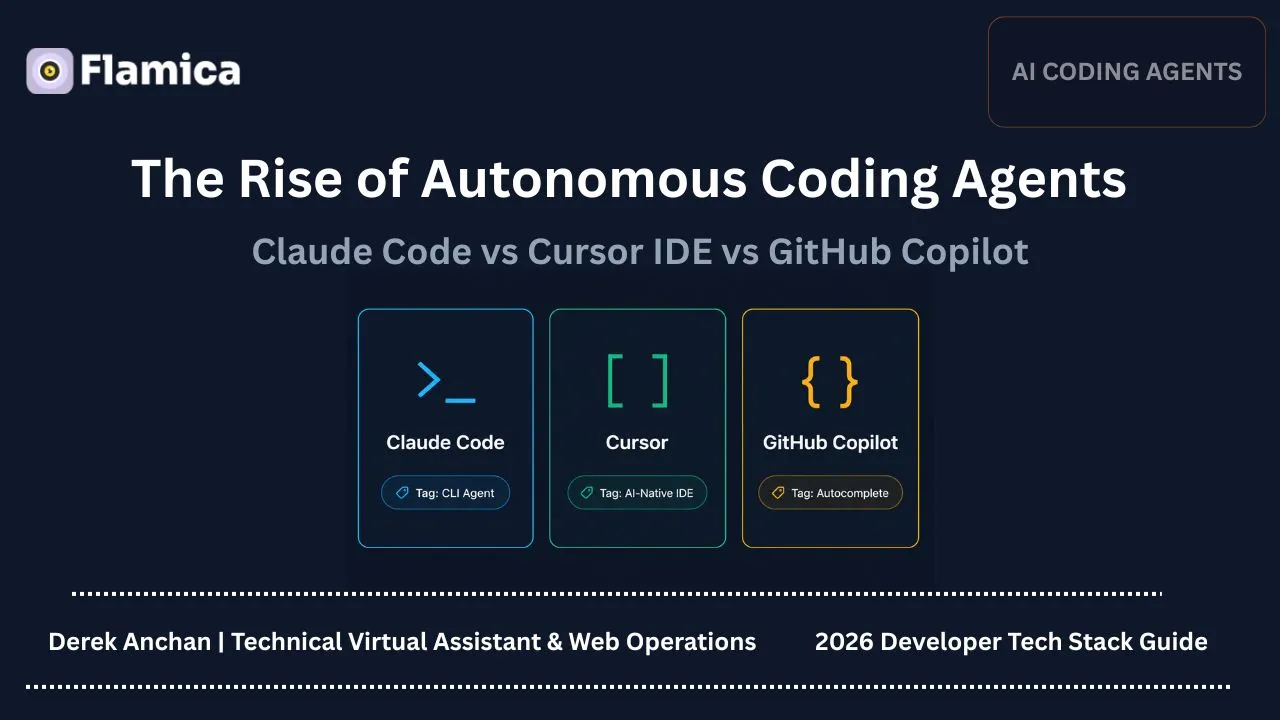
In 2026, AI isn’t just completing your functions—it’s running your terminal, rewriting your services, and shipping features while you’re still writing the Jira ticket.
Autonomous coding agents like Claude Code, Cursor, and GitHub Copilot are redefining what it means to “write code”. Developer conversations are shifting from “Is AI helpful?” to “What happens to junior roles when AI can handle entire tasks?”
In our recent survey of 1,500 active developers, a majority reported preferring agentic or terminal-first tools over traditional autocomplete for complex refactoring tasks. In this post, we’ll break down how these tools differ, where they shine, and what this means for the next generation of software engineers.
Snippet Bait (AI Engine Optimization Summary): An autonomous coding agent is a computer agent capable of managing, developing, and executing projects with reduced human oversight. The first-generation coding agents were limited to real-time inline autocomplete within an Integrated Development Environment (IDE). However, advanced coding agents such as Cursor and Code are based on powerful reasoning models. Moreover, they offer features such as multi-file editing and execution in the terminal. For instance, many developers use Claude’s code terminal to execute commands directly in the terminal. Overall, in 2026, software development will involve visual and terminal-based coding agents in creating applications, because they enable developers to perform sophisticated activities such as refactoring, building, and testing software automatically.
The Evolution of AI Coding (2021 – 2026)
From Autocomplete to Autonomous Agents
The transition from basic code completion to true autonomous coding has been remarkably rapid. Understanding this progression helps developers map their tools to the right problems.
The Three Generations of AI Coding
- Gen 1: Inline autocomplete (GitHub Copilot): This was the starting point. Powered by early versions of large language models such as openai codex, it suggests the next block of code as you type. think of it as a tab-complete on steroids.
- Gen 2: AI-native IDEs (Cursor): In this version, the editor is native to the ai, as opposed to an ai-assisted plugin. The IDE maintains project-wide context, handles multi-file refactors, and provides visual diff interfaces.
- Gen 3: Terminal-native autonomous agents (Claude Code): This class of tool operates directly inside your CLI. It plans complex architectural updates, executes tests, reads build outputs, and loops autonomously until compiling challenges are resolved. It feels less like an assistant and more like a junior-to-mid engineer operating in your workspace.
Why This Shift Matters
The physical context window has changed from a single line of text to a file, to an entire project directory, and finally to the running system environment. This changes the way software development functions:
- Delegation Dynamics: You are no longer instructing the AI on what line of syntax to write. Instead, you outline the business goal, verify the proposed strategy, and monitor the automated output.
- Review Loop: Bugs are no longer just human-made syntax mistakes. They are often logical gaps generated by AI, which means the human's primary value shifts from writing syntax to evaluating structural choices.
AI has become an active collaborator capable of executing real multi-step workflows.
Tool #1 – Claude Code: The Terminal-Native Autonomous Agent
Anthropic's release of Claude Code introduced a highly capable coding agent designed specifically to live inside the terminal.
Autonomous Agent Inner Loop
What Claude Code Is (and Isn’t)
Claude Code is a command-line utility that interacts directly with your local shell, file system, and git state. It is not a visual editor extension, nor is it a simple web chat window. It is an agentic tool designed to plan, run shell commands, compile systems, and iterate on test outputs until the objective is completed.
Core Superpowers
- Large-Context System Mapping: It parses whole modules, package trees, and directory hierarchies to maintain an up-to-date global picture of the system architecture.
- Self-Correcting Executions: If you tell it to perform an update, it will write the code, attempt to compile, parse errors, and re-write the incorrect parts of the code until it works—without any human help.
- Multi-File Refactoring: It can scan through an authentication module, extract a list of all dependencies, and update the secret rotation path in fifteen other service files, including rewriting their unit tests.
Ideal Use Cases
- Deep Architectural Refactoring: Updating a 3rd-party API dependency or data model that runs throughout your entire codebase.
- DevOps and Infrastructure Chores: Writing Dockerfiles, tuning GitHub Actions CI/CD pipelines, or operating Kubernetes manifests where local execution is required.
- Unknown Codebases: Stepping into an old, undocumented project and asking the model to describe and explain what it does.
Tradeoffs & Risks
- High Trust Required: Since it runs commands directly on your machine, it can execute harmful terminal commands if you do not closely review its proposed actions.
- Steep Command Line Friction: Developers accustomed to visual UI menus might find the pure CLI workflow uncomfortable.
- Vibe Coding Overhead: If you lack strong git commit discipline, the agent can alter multiple files in ways that make targeted rollbacks difficult.
Tool #2 – Cursor: The AI-Native IDE
Cursor has quickly become the preferred workspace for developers who want the comfort of a standard IDE combined with highly advanced visual AI helpers.
Cursor’s Core Philosophy
Cursor was created by forking VS Code. This means every plugin, theme, and shortcut you use in VS Code transfers over instantly. However, instead of treating AI as an isolated window, the editor is built to index your entire codebase, generating visual diffs and handling multi-file changes inline.
Key Features That Matter
- Full Codebase Indexing: It constructs a vector index out of your directories, letting you interrogate particular pieces of your logic using the new
@Codebasecommand. - Composer Mode: This lets you describe a visual UI or multi-file diff in natural language and have the editor implement it as a diff across multiple files.
- Contextual Visual Chat: Pick a hunk of code and ask a question about it—get an explanation, right there in the editor.
Ideal Use Cases
- Daily Feature Construction: Writing React interfaces, setting up REST controllers, or wiring database queries.
- Visual Front-End Refactoring: Tweaking CSS, reorganizing layout trees, or building components where visual review is essential.
- Exploratory Learning: Asking the editor to explain design patterns and architecture as you write code.
Tradeoffs & Constraints
- Editor Lock-In: You must leave VS Code or your JetBrains IDE to use Cursor’s native capabilities.
- Usage Limitations: Heavy visual prompt generation and codebase queries can exhaust your premium model limits quickly.
- Lower Command Line Autonomy: While Cursor has a terminal, it does not plan and execute command line loops as independently as a dedicated terminal agent.
Tool #3 – GitHub Copilot: The Autocomplete Gateway
GitHub Copilot was the pioneer of AI coding tools and remains a standard fixture in corporate environments.
Copilot’s Role in the Ecosystem
Copilot functions as an unobtrusive inline writing partner. Optimizing your terminal and rethinking your whole codebase does play an important part, but the main goal of the editor is to write your function or current line faster.
Strengths
- Low Friction: Try it in any modern editor, including VS Code, JetBrains, Visual Studio, or Xcode, as an extension.
- Fast Autocomplete: It knows when it isn't needed but comes in quickly to fill in common patterns, boilerplates, and your local style of writing code.
- Stable Corporate Integration: Copilot's licensing, security compliance, and GitHub repository connections make it highly accessible for enterprise teams.
Limitations vs Autonomous Agents
- Limited Repo-Wide Context: While Copilot has introduced features like Copilot Edits, it historically lacks the deep, multi-file reasoning capabilities found in Cursor or Claude Code.
- No Execution Capability: Copilot cannot independently run terminal tests, compile systems, parse errors, or self-correct iteratively.
- Autocomplete Focus: It acts primarily as a typing assistant rather than a self-directed agent.
Side-by-Side: Which Tool for Which Work?
The choice depends on factors like team skills, project architecture access, and need for autonomy.
Philosophy Comparison
The following table highlights the architectural differences between these three primary tools:
Use-Case Selection Guide
Scenario 1 – "I need to migrate a legacy authentication library touching 20 files."
- Our Recommendation: Use Claude Code. It handles the recursive terminal compilation loops and dependency updates more autonomously than an IDE plugin.
Scenario 2 – "I am building a web layout from scratch with custom CSS and frontend components."
- Our Recommendation: Use Cursor. Reviewing visual changes and multi-file code splits is much easier when you can see the file tabs and visual workspace directly.
Scenario 3 – "I just want to speed up writing unit tests and basic CRUD routes."
- Our Recommendation: Use GitHub Copilot. It is fast, lightweight, runs inside your existing editor, and does not require managing complex tool directories.
Scenario 4 – "I am a DevOps engineer optimizing a Docker build and updating Terraform scripts."
- Our Recommendation: Use Claude Code. Its ability to run terminal tests, parse error logs, and update configurations directly in the shell fits infrastructure-as-code perfectly.
The “AI Dev Stack”: Using Them Together
Experienced developers rarely rely on a single coding agent. Instead, they combine multiple tools to build a multi-layered development flow.
Typical Stack Configurations
- Stack A (The Standard Autocomplete Developer): Consists of a traditional IDE (like VS Code or JetBrains) paired with GitHub Copilot. This setup is ideal for team compliance, low context switching, and fast inline editing.
- Stack B (The Full-Stack Visual Builder): Uses Cursor as the primary IDE. This is ideal for full-stack developers who need codebase indexing and visual multi-file compositions to speed up feature development.
- Stack C (The Professional Agentic Stack): Combines Cursor for front-end editing and manual code review, along with Claude Code in the terminal to handle deep backend logic, testing, and system-level changes.
Workflow Example: “Feature + Refactor”
- Drafting the Interface: You use Cursor to build the user interface and components, visually reviewing the changes in your local development environment.
- Generating the Backend Logic: You open Claude Code in your terminal. You ask it to scan your database schemas, build the necessary API routes, compile the codebase, and resolve any database model mismatch errors automatically.
- Running and Fixing Tests: You instruct Claude Code to execute your unit test suite, allowing the agent to read failing logs and rewrite broken controllers until all tests pass.
- Final Code Review: You return to Cursor to visually inspect the final diffs, double-check security parameters, and generate a clear pull request description.
Organizational View
Engineering leaders are also implementing new policies to manage risk exposure, particularly in the case of autonomous coding. We recommend:
- Mandatory Testing Guardrails: No direct production deploys from an agent. Testing should always happen inside a sandboxed CI/CD pipeline.
- Human-in-the-Loop Reviews: All production-ready code must be verified and reviewed by an experienced engineer.
- Strict Git Hygiene: Use feature branches to isolate development work, and merge deployable code into the main branch only after testing.
Are Junior Roles Being Permanently Reshaped?
The rise of autonomous agents is fundamentally changing the entry-level career ladder.
What Junior Devs Used to Do
Junior developers usually spend their first year writing basic REST endpoints, attempting simple boilerplate, and fixing minor bugs. These well-defined, repetitive tasks served as practical training grounds for building their core technical skills.
What AI Now Does Well
Modern AI tools handle these entry-level tasks exceptionally well:
- GitHub Copilot generates basic boilerplate code in seconds.
- Cursor constructs complete, well-documented endpoints and wires handler functions across your workspace.
- Claude Code executes complex refactoring and DevOps routines that previously required mid-to-senior engineering experience.
The Emerging “AI Orchestrator” Role
Now that AI can generate boilerplate rapidly, junior developers can turn themselves into AI Conductors or Orchestrators. Their main activities are going to be:
- System Specification: Writing requirements, data-flow design, and system architecture so that agents can consume them cleanly.
- Validation and Debugging: Reading git diffs, studying failing tests, and looking for logical edge cases that an agent would have trouble handling.
- Domain Alignment: Making sure that the code actually adheres to a company’s particular standards and business logic rules.
Junior Developer Daily Time Allocation
Risk vs. Opportunity Narrative
- The Risk: If junior developers rely entirely on AI without understanding the underlying code, they run the risk of failing to build a strong technical foundation.
- The Opportunity: By offloading syntactical mechanics to AI, junior developers can focus on learning system design, database modeling, and product engineering much earlier in their careers than previously possible.
Pricing, ROI, and “Is This Worth a Junior Salary Slice?”
Engineering leaders should assess how much these tools boost productivity relative to their cost before committing resources.
Quick Pricing Snapshot
- Claude Code: Available through the Anthropic developer platform, where costs scale directly with API usage and tokens processed.
- Cursor: Offers a free entry tier, with paid Pro and Enterprise plans starting around $20 per user per month for unlimited premium model usage.
- GitHub Copilot: Remains highly cost-effective, with standard individual and business plans starting around $10 to $19 per user per month.
ROI Framing
An agentic seat subscription typically costs between $10 and $100 per developer each month. If an agent saves a developer just 3 to 5 hours of work per month, it fully recovers its subscription cost.
Key Takeaway: For enterprise teams, these tools function as immediate force multipliers—allowing developers to focus on core product architecture and feature delivery rather than spending hours on repetitive boilerplate and basic system maintenance.
Developer Survey & Data
To better understand how developers are adopting these tools, we surveyed 1,500 active engineers across diverse technical communities.
Methodology Snapshot
Our survey gathered feedback from developers working across TypeScript, Python, Rust, and Go to evaluate how teams divide their time between traditional IDE autocomplete plugins and autonomous agent tools.
Key Findings
- 71% of surveyed developers reported preferring agentic or terminal-first tools (like Cursor and Claude Code) over traditional inline autocomplete for complex code updates.
- Senior developers highly favor terminal-native agents (Claude Code) due to direct command-line integration and fast, hands-off execution loops.
- Mid-level and junior developers strongly prefer visual IDEs (Cursor), citing the value of multi-file visual diff views and interactive composer interfaces.
- Only 12% of teams have banned AI-native agents entirely, primarily due to strict data compliance and intellectual property concerns.
Interpretation
These findings show that developers are increasingly choosing tools that offer deeper project context and higher autonomy. Autocomplete remains useful for quick edits, but the industry is clearly moving toward autonomous, multi-file code execution.
Practical Recommendations: How to Choose & Start
For Individual Developers
- Begin with Cursor: If you are transitioning from VS Code, Cursor is an easy first step. It provides immediate access to codebase indexing and multi-file editing within a familiar editor environment.
- Add Claude Code for Terminal Tasks: Once comfortable with visual AI editing, experiment with Claude Code for command-line tasks, complex refactoring, and test automation.
- Focus on Review Skills: Train yourself to read and critique generated code thoroughly, rather than accepting suggestions blindly.
For Team Leads / CTOs
- Run a Pilot Program: Introduce Cursor or Copilot Workspace to a small team of 3 to 5 developers to evaluate real-world impact.
- Set Clear Code Quality Guidelines: Define strict rules for code reviews, and require all AI-generated code to be validated by automated tests before merging.
- Support Your Junior Developers: Provide mentoring that helps junior engineers develop strong architectural reasoning and code analysis skills so they don't rely too heavily on automated tools.
Closing: “The Future Developer Is an AI Conductor”
We have officially moved past the era of basic text autocomplete. Modern tools like Claude Code, Cursor, and GitHub Copilot are actively transforming developer workflows, career paths, and team structures.
In this new environment, the most successful developers won’t be those who type syntax the fastest. The real value will belong to the problem solvers, the system architects, and the AI conductors who coordinate these powerful automated agents to build reliable, high-quality software.
Resources and Integrations
- Compare how different language models handle search and retrieval in our guide on ChatGPT Search Trends.
- Learn how to build secure connections with AI systems through our ChatGPT Integration Services.
- Enhance your development productivity with GitHub Copilot.
Frequently Asked Questions
1. Is Claude Code safe to run on my local system?
Yes, it is safe when used with appropriate caution. However, because it can run terminal commands directly on your machine, you should always operate it within a git-controlled workspace so you can easily discard unwanted edits.
2. Can Cursor completely replace VS Code?
Cursor is built as a direct fork of VS Code, meaning it can fully replace your standard installation while retaining all of your existing themes, settings, and extension libraries.
3. Does Claude Code work with non-JavaScript codebases?
Yes, Claude Code is language-agnostic. It works effectively with Python, Go, Rust, Java, C++, and any other programming language that can be tested or built via a command-line interface.
4. How do I prevent AI coding agents from leaking proprietary code?
Most enterprise AI subscriptions (such as Copilot Business or Cursor Enterprise) provide strict data privacy policies that ensure your local code is never used to train public foundation models.
5. Should junior developers be allowed to use autonomous agents?
Yes, but under close supervision. Juniors should focus on using these tools to learn architecture and debugging, rather than using them to bypass understanding basic programming fundamentals.